Spiceworks Alternatives That Solve Ticketing, Inventory, and Device Ops in 2026
Spiceworks built a community of a million IT pros on two free promises: a help desk and a network scanner. For years, that was plenty. But teams keep outgrowing it, and one IT Admin on Reddit summed up why,
 Ahmad ZakariaSeptember 7, 2026
Table of contents
- Why Are IT Teams Moving Away from Spiceworks?
- What Does "Spiceworks Alternative" Actually Mean?
- Best Spiceworks Alternatives for Help Desk and Ticketing (2026)
- Best Spiceworks Alternatives for Network Inventory and Asset Discovery
- How to Choose the Right Spiceworks Alternative for Your Team
- Which Spiceworks Alternative Actually Fits Your IT Stack?
Spiceworks built a community of a million IT pros on two free promises: a help desk and a network scanner. For years, that was plenty. But teams keep outgrowing it, and one IT Admin on Reddit summed up why,
"It is lacking everything except basic tickets and inventory."
IT Admin, r/sysadmin
The trouble is, most alternative guides treat Spiceworks as one tool. It isn't. It handles ticketing and inventory separately, and the right replacement depends entirely on which of those two is actually failing you. Pick wrong, and you'll spend $50/agent/month on a customer support desk when your real issue was asset visibility.
This guide separates the two use cases, covers the best options for each, and flags a third gap that platforms like Firstbase cover: the physical device operations that no discovery or ITSM platform touches.
Why Are IT Teams Moving Away from Spiceworks?
Spiceworks worked well for a long time. The on-prem help desk handled 80% of what small IT teams needed, and the price (free) made it hard to argue against. But the shift to a cloud-only, ad-supported model changed the equation.
The community thinned out. And the tool started falling behind on basics that your team can't skip.
Here's what's pushing teams out:
- No two-factor authentication: The cloud version still doesn't support 2FA, which is a non-starter for any team with compliance requirements in 2026.
- No SSO or LDAP integration: Users have to enter their email and click a verification link every time they submit a ticket, unless you connect through Active Directory. There's no single sign-on option.
- Locked-down permissions: The on-prem version lets you install plugins like Pepper Roles to control user access. The cloud version removed plugins entirely, and the built-in permission types can't be customized.
- Weak reporting: Multiple IT team leaders flag the same issue: reporting is too limited to support capacity planning or executive-level IT reviews.
- Performance issues at scale: Ticket updates hang, comments fail to save, and pages need manual refreshes. These are small annoyances at 20 tickets a week; they're real productivity drains at 200.
What Does "Spiceworks Alternative" Actually Mean?
Search "Spiceworks alternatives," and you'll get ten listicles recommending the same help desk software. That's fine if ticketing is your problem. But Spiceworks isn't just a help desk. It does two separate jobs.
Employees submit IT requests. Technicians triage, assign, and resolve them. This is the workflow side of Spiceworks, and it's what most teams interact with daily.
Spiceworks scans your network, identifies connected devices, and logs hardware and software details. This is the visibility side, and it runs independently of the help desk.
The distinction is worth looking at because the Spiceworks alternatives that replace each job are completely different products:
- If ticketing is what's broken, you're looking at ITSM tools built around ticket routing, SLA tracking, and workflow automation.
- If inventory and discovery are the gap, you need ones that focus on knowing what you own, where it is, and what state it's in.
- If both are broken, you're building a small stack: one ITSM tool plus one dedicated asset management platform.
Getting this wrong is expensive and not just in licensing fees. Say, you buy a $50/agent/month service desk to fix what's actually an inventory problem. You've burned through six months of implementation, onboarding, and workflow configuration before realizing the tool doesn't solve your real gap.
Then you're back in procurement, negotiating with a new vendor, and making the case to leadership for a second budget line on a problem they thought was already handled. Meanwhile, you still can't tell your CFO how many laptops are sitting unassigned in a closet.
Best Spiceworks Alternatives for Help Desk and Ticketing (2026)
If your main reason for leaving Spiceworks is the help desk, these four platforms are the most common upgrades.
| Platforms | Pricing | Strengths | Limitations | Best For |
|---|---|---|---|---|
| Freshservice |
|
|
|
Mid-size IT teams (50-500 employees) wanting ITSM, asset management, and AI automation without a multi-vendor stack |
| Jira Service Management |
|
|
|
Teams already in the Atlassian ecosystem (Jira, Confluence, Opsgenie), or very small teams testing their first ITSM tool on the free tier |
| ManageEngine ServiceDesk Plus |
|
|
|
Organizations needing on-prem deployment for compliance or data residency, or those already running ManageEngine products like Endpoint Central |
| SolarWinds Service Desk |
|
|
|
Small to mid-size IT teams wanting straightforward ITSM without heavy configuration, especially where unlimited end-user pricing matters |
Best Spiceworks Alternatives for Network Inventory and Asset Discovery
Ticketing is one half of the Spiceworks replacement. The other half is knowing what you own and its status. Spiceworks' network scanner gave teams a basic version of that.
But the tools below pick up where Spiceworks' inventory left off:
Firstbase
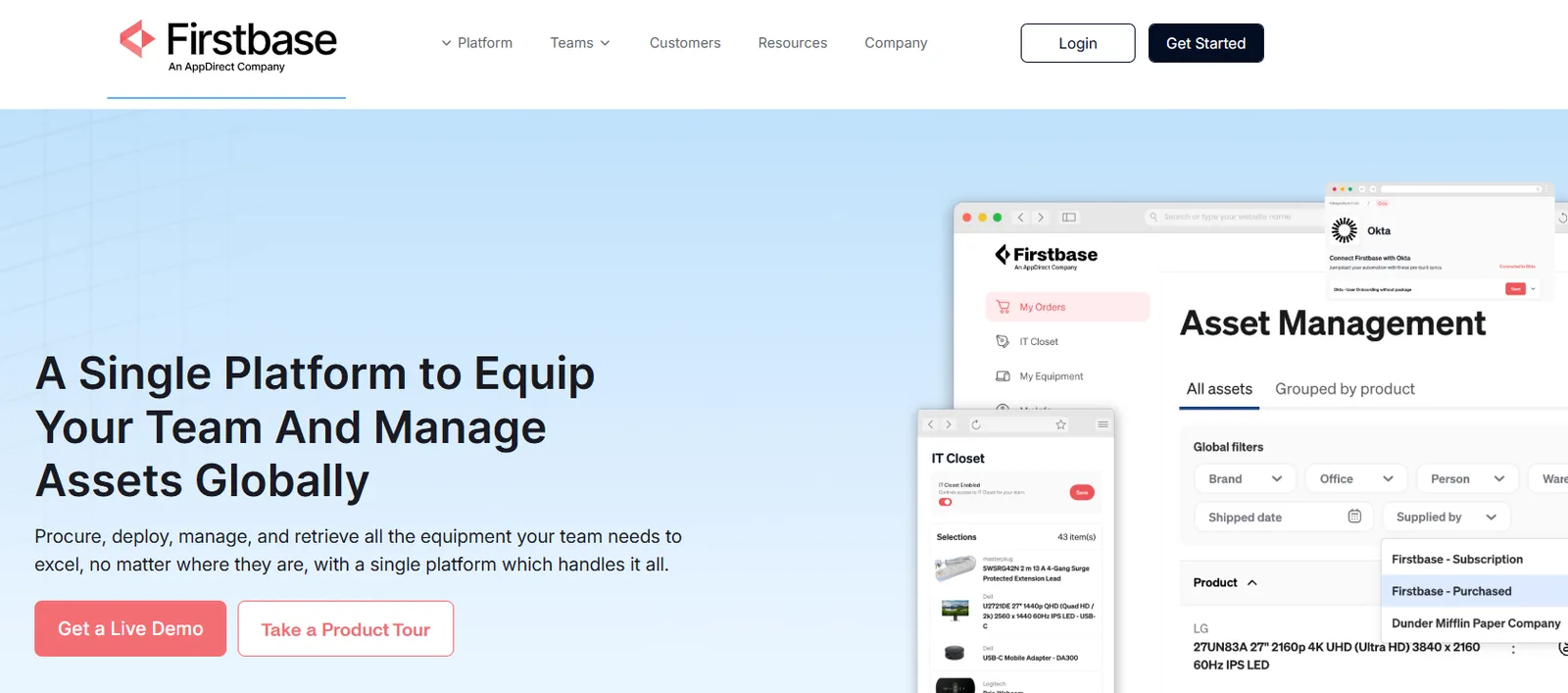
Firstbase is a device lifecycle platform that manages the physical operations most inventory tools ignore: procurement, global shipping, retrieval, data destruction, and redeployment.
Where tools like Spiceworks tell you what's on your network, Firstbase handles what happens to that hardware in the real world. It supports 150+ countries, and teams using the platform consistently achieve 90%+ retrieval rates, compared with an industry average of 30-50%.
You can connect Firstbase to Workday, BambooHR, Namely, or similar platforms. When a new hire is added to the HRIS, the platform automatically assigns an equipment package based on the role or department and initiates the provisioning workflow.
Key Features
- Self-service employee portal: Employees browse a role-based catalog of pre-approved hardware and place their own orders. IT just clicks approve. This reduces the back-and-forth that usually clogs Slack channels and ticket queues when someone needs a monitor or a replacement charger.
- ITAD Center with Office Pickup: Admins can create bulk disposition requests for devices stored in offices, closets, and storage rooms (tracked or untracked) and schedule Firstbase-managed pickups in supported regions. Every retired device gets a NIST 800-88 certified wipe and an auto-generated Certificate of Destruction.
- Global procurement and deployment: Vendor-neutral sourcing (buy, lease, or ship your own fleet) with regional warehousing that supports 48-hour delivery windows in major markets. Its Apple Authorized Reseller status gives direct access to configure-to-order MacBooks without third-party markups.
- Firstbase API: Programmatically manage orders, returns, replacements, restocking, inventory levels, shipment notices, offboarding, reactivation, and SCIM provisioning. Set minimum stock thresholds per warehouse so auto-restock triggers without anyone filing a ticket or connect Firstbase to your HRIS so a termination event initiates a return order automatically.
- Full audit trail across the lifecycle: Every action on every device is logged: assignment, shipment, return, wipe, resale, or recycle. Exportable records support compliance with SOC 2, HIPAA, GDPR, and CCPA.
Limitations to Watch
- Reporting and inventory filtering could be taken further. Users have flagged that the dashboard doesn't yet offer quick-glance views.
- Shipping times in some regions can run longer than expected. Users note that delays are often tied to local courier services rather than the platform itself, but it's worth factoring in.
See Firstbase in action
Get back 10-15 hours per week
Take a self-guided product tour and walk through the same workflows that help IT teams get back 10-15 hours per week on equipment ordering, returns, and retrieval coordination.
Take a Self-Guided Tour →NinjaOne
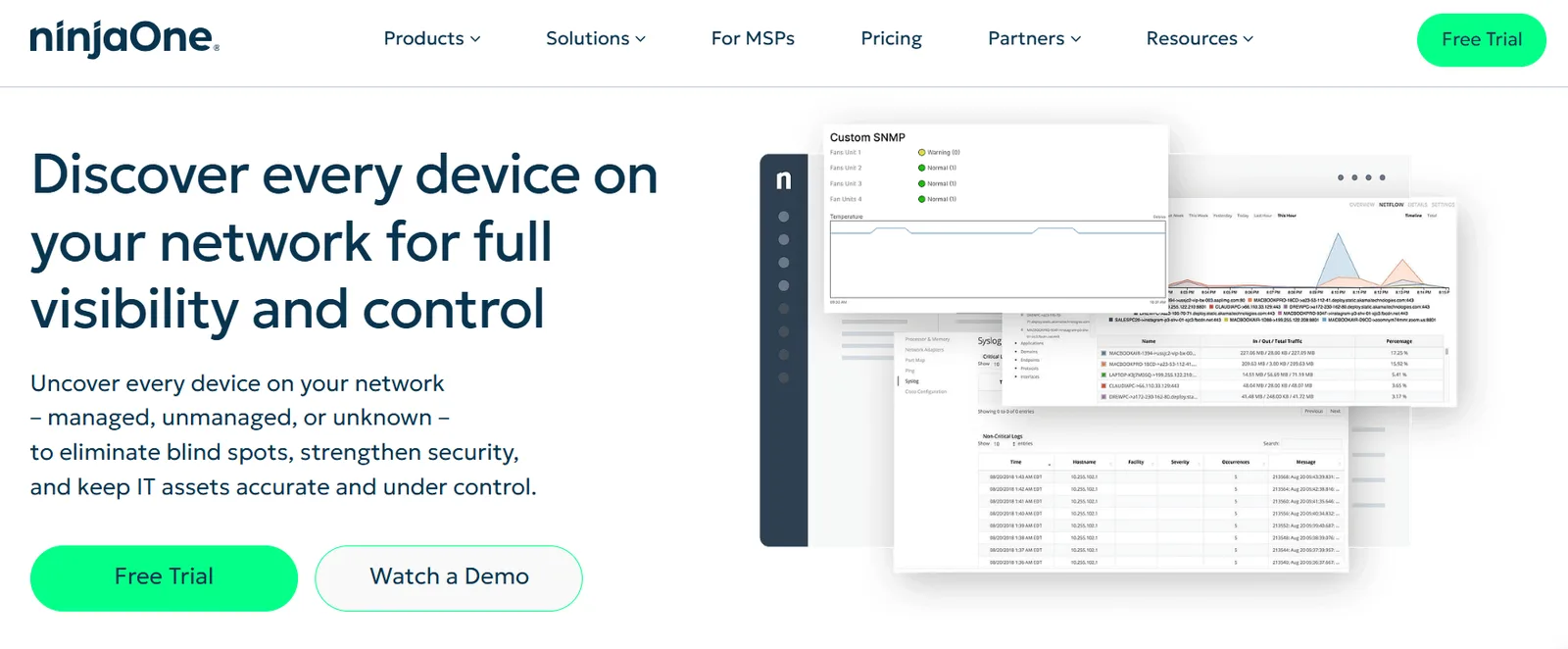
NinjaOne is an endpoint management platform with built-in network discovery. It scans your environment to find every connected device, whether it has an agent installed or not, across Windows, macOS, Linux, network hardware, and IoT.
All discovered devices feed into a centralized inventory view where IT can classify them as managed or unmanaged. If you're leaving Spiceworks because you've outgrown its network scanner, NinjaOne is a significant step up in both depth and automation.
Key Features
- Credential-free scanning: Discover devices on your network without needing to configure credentials first. Gives you immediate visibility with minimal setup overhead.
- Scheduled and on-demand discovery: Run scans manually or set recurring jobs. Historical scan results are stored, so you can track what's appeared (or disappeared) over time.
- Centralized Discovered Devices view: Every scan result lands in one place. From there, you can review, classify, and convert devices into managed or unmanaged assets without toggling between tools.
- Rogue device identification: Flags unmanaged or unauthorized devices on the network, which helps reduce attack surface and catch shadow IT before it becomes a security risk.
- Cross-platform coverage: Discovers anything with a network address: endpoints, servers, printers, switches, IoT devices. No OS-specific blind spots.
Limitations to Watch
- Reporting customization is limited compared to enterprise-grade tools. Highly detailed or tailored reports can be difficult to build.
- The built-in ticketing system needs work. Reporting in ticketing is clunky, and the workflow doesn't always align with how IT teams actually operate.
- Remote access can be unreliable during agent update cycles, causing delays when you need to connect urgently.
Snipe-IT
Snipe-IT is an open-source asset management platform designed to replace spreadsheet-based inventory tracking. Self-hosted, it's completely free. If you'd rather not manage your own infrastructure, cloud-hosted plans are available with a 99.99% Service Level Agreement uptime guarantee and servers across global data centers.
For teams leaving Spiceworks specifically because of the inventory side, Snipe-IT is a natural next step: it's free like Spiceworks was, but without the ads, and it gives you full control over your data with no vendor lock-in.
Key Features
- Self-hosted or cloud-hosted flexibility: Run it on your own servers at zero cost, or pay for managed cloud hosting. Either way, you own your asset data.
- REST API for custom integrations: A JSON-based API lets developers build automations and connect Snipe-IT to other tools in your stack without waiting on vendor roadmaps.
- Security built in: Bcrypt with brute-force prevention, 2FA, HTTPS-only cookies, and strong password enforcement come standard across both deployment models.
- Frequent release cycle: New releases ship every few weeks, with bug fixes and feature updates pushed daily. The open-source community contributes actively alongside the core team.
- Check-in/check-out asset tracking: Assign devices to users, locations, or departments and track custody through a clean web interface. Good for knowing who has what and when it moved.
Limitations to Watch
- Reporting is limited. Some reports lack the detail you'd need for audit prep or executive-level asset reviews.
- No license expiration alerts or duplicate asset-holder notifications out of the box.
- The interface has a learning curve for new users, particularly around initial setup and navigation.
Teqtivity
Teqtivity is an IT asset management platform focused on lifecycle tracking from procurement through retirement. It's built around a consultative model: the team works with you to configure the system around your existing workflows rather than forcing you into a preset structure.
Pricing is per user, not per asset, which keeps costs predictable as your fleet grows. For teams that need structured onboarding/offboarding asset flows and audit-ready compliance reporting without building custom tooling, Teqtivity fills that gap cleanly.
Key Features
- Full lifecycle tracking in one platform: Monitor device usage, health, and age in real time. Automate status updates and reminders across every phase from purchase to retirement, with every action logged for audit purposes.
- Onboarding and offboarding automation: Filter new hires by start date and pre-assign devices before day one. For departing employees, track their assigned assets and automate recovery steps through built-in retrieval workflows.
- Barcode, RFID, and physical audit support: Reconcile inventory across locations, flag mismatches, and run fast physical audits without relying on manual spreadsheet counts.
- Audit-ready compliance tools: Verify asset ownership, maintain complete activity logs, store Certificates of Data Destruction, and export custom reports. MDM and security data can feed into compliance audits directly.
- Role-specific dashboards and reporting: Different teams see different views. Reports cover current counts, deployments, inventory status, and offboarding metrics, all exportable without needing a developer.
Limitations to Watch
- Integrations don't always sync reliably. Some users report having to manually verify asset assignments after syncs.
- The UI feels dated in places and could use modernization.
- Reporting quality depends heavily on accurate data entry. If your team's input is inconsistent, the outputs will reflect that.
How to Choose the Right Spiceworks Alternative for Your Team
The right replacement depends on which of Spiceworks' jobs is actually failing you. Here's a simple framework.
Ticketing and Help Desk Solution
If your main pain is ticket routing, SLA tracking, and workflow automation, pick from the IT Service Management tools:
- Already in the Atlassian ecosystem? Jira Service Management keeps dev and ops aligned, and the free tier lets you test it without a PO.
- Want ITSM, ITAM, and AI in one vendor? Freshservice is a complete single-platform option, but costs climb with agent count.
- Need on-prem deployment? ManageEngine ServiceDesk Plus is one of the few that still offers it.
- Small team, simple needs? SolarWinds' unlimited end-user pricing keeps the math predictable.
Inventory and Asset Visibility
If the real gap is knowing what you own, where it is, and who has it:
- Need network discovery and endpoint management? NinjaOne replaces Spiceworks' scanner with real depth and automation.
- Want a free, self-hosted asset register? Snipe-IT gives you what Spiceworks did, minus the ads and with full data control.
- Need structured lifecycle tracking with audit-ready compliance? Teqtivity handles procurement-to-retirement workflows in one platform.
Full-Coverage Device Operations
If your team has grown past the point where tracking devices on a screen is enough, and you actually need to get hardware shipped, retrieved, wiped, and redeployed across countries, that's a different category entirely.
Firstbase is the third layer you need. It connects directly to ITSM and HRIS platforms. So when your help desk resolves a ticket, Firstbase can handle the physical follow-through: shipping a replacement, retrieving the old device, certifying the data wipe, and putting the refurbished unit back into inventory. Customers report cutting IT support tickets by 50% in three months just by connecting these systems.
"Today we're at almost 300 people, and we still have only three IT team members. We're a very lean team trying to be as efficient as possible. Removing the task of boxing up computers and driving to FedEx has allowed us to tackle larger projects and strategic initiatives."
Jared Allenbrand, Head of IT, Cresta.ai
Which Spiceworks Alternative Actually Fits Your IT Stack?
Replacing Spiceworks is a stack decision. The teams making this switch are usually at a growth inflection point where the old approach of free software and manual workarounds stops scaling.
The ITSM upgrade is the obvious move. The inventory upgrade is the overlooked one. But even after both are in place, there's a third layer that no ticketing or discovery tool was built to handle: getting physical hardware to employees, retrieving it when they leave, wiping it to compliance standards, and cycling it back into your fleet.
Firstbase was purpose-built to fill that gap. It works alongside whatever ITSM and inventory tools you choose, connecting to your HRIS to automate the physical follow-through. Per-seat pricing keeps costs predictable, whether you're at 500 employees or 5,000, and your existing fleet can be ingested into the platform from day one.
IT Teams have reported recovering $175,000+ in device-reuse value from a single restructuring event. Book a demo with Firstbase to see how.
Written by
Ahmad Zakaria
Ahmad Zakaria covers IT operations, hardware lifecycle management, and distributed workforce solutions at Firstbase. His content is built from real customer data, operator interviews, and hands-on experience managing devices across 150+ countries.
Get started with
Firstbase today
Remote and hybrid work aren't going anywhere. It's our mission to make it easier to manage the assets your distributed team needs—from onboarding through offboarding and every repair, replacement, and upgrade in between.
Fill out the form and a member from our team will reach out by phone!
Get a Live Demo