The Lansweeper Alternatives Guide IT Teams Actually Need in 2026
Every Lansweeper alternative solves asset tracking. None of them solves the hardware operations gap that's actually eating your IT team's time.
 Ahmad ZakariaJuly 6, 2026
Table of contents
- TL;DR: Top Lansweeper Alternatives at a Glance
- Why IT Teams Leave Lansweeper
- What Are The Best Lansweeper Alternatives for IT Teams in 2026?
- What Does It Cost When Your ITAM Tool Can't Procure, Ship, or Retrieve Hardware?
- How Does Firstbase Cover What Lansweeper and Every Alternative Leave Open?
- Still Comparing Features, or Ready to Close the Gap?
A few months ago, an IT admin posted on Reddit asking for help leaving Lansweeper. His requirements were just two things: inventory Windows machines across 80 locations, and generate a report showing which ones need replacing each year. That's it. "That's really all I use it for," he wrote.
Most IT teams running Lansweeper are in the same spot. They use a fraction of what they're paying for. And when renewal quotes come back 2-3x higher, the math stops working. So they start searching for alternatives.
Every alternative on the market solves the same problem that Lansweeper already solves: asset tracking. None of them solves the problem that's actually eating your IT team's time: procuring, shipping, retrieving, repairing, and redeploying devices across time zones and borders.
We'll break down where each alternative fits, where they all fall short, and how platforms like Firstbase address the gap from an operations perspective.
Disclaimer: We built Firstbase to solve the hardware operations gap that ITAM tools don't cover. We're included in this comparison, and we're upfront about that. Every other tool on this list is evaluated on publicly available data, verified user reviews, and published product documentation. Where a platform falls short, we've said so. Where it's strong, we've said that too.
TL;DR: Top Lansweeper Alternatives at a Glance
| Tools | Rating | Best for | Automation depth | Hardware ops layer | Limitation |
|---|---|---|---|---|---|
| Firstbase | 4.7 | Distributed teams managing device logistics across borders | Full. HRIS-triggered onboarding/offboarding, automated retrieval kits, MDM sync, shipping | Yes | Shipping times can vary during fast onboarding; reporting customization could go deeper |
| NinjaOne | 4.7 | IT teams consolidating RMM, patching, and backup | Software-side only. Policy-based patching, mobile app deployment, and self-healing scripts | No | Server management feels thin; policy inheritance gets finicky |
| ManageEngine AssetExplorer | 4.2 | Budget-conscious teams needing ITAM with CMDB and license tracking | No-code workflow builder for asset state changes and notifications | No | Heavy setup; support is inconsistent; no discovery without AD |
| Freshservice | 4.6 | Mid-market teams running service desk and asset management together | AI-assisted ticketing, approval chains, SLA escalations | No | Configuration-heavy upfront; AI features need ongoing tuning |
| ServiceNow ITAM | 4.4 | Large enterprises standardizing ITAM, ITSM, and security on one platform | Deep. No-code playbooks, predictive intelligence, self-healing systems | No | Expensive; complex implementation; overkill for smaller teams |
Why IT Teams Leave Lansweeper
When IT teams start actively searching for Lansweeper alternatives, the following complaints keep coming up.
Pricing that outgrew the value
Lansweeper moved to a 2,000-asset minimum and per-asset pricing a few years ago. For smaller teams, the math didn't work.
- A verified IT Services Head on Capterra wrote: "It's fairly expensive for 200 assets, which is now the minimum."
- Another on the same platform said: "Price has doubled/tripled in the past 2-3 years, and many features like vulnerability scanning are further paywalled into an even higher tier package."
The price increases are pushing them to look at alternatives that also cover remote support and patching, not just inventory.
Product direction that feels unclear
One IT Systems Admin noted that Lansweeper "doesn't make it clear which product features are under active development, and which have been abandoned."
When you're paying more every year, you want to see the product moving forward. That reviewer didn't.
A ceiling on what it does
This is the one less talked about. PeerSpot reviewers have pointed out that Lansweeper lacks end-to-end asset management capabilities.
And that's the pattern worth paying attention to.
Lansweeper tells you what you have and where it sits on your network. It doesn't ship, retrieve, repair, or get it through customs. Neither do most of the tools people switch to, which is why the search often ends right back where it started.
What Are The Best Lansweeper Alternatives for IT Teams in 2026?
Below, we've compared five platforms that appear in most Lansweeper alternative searches, highlighting where they're strong and where they hit the same ceiling as Lansweeper.
Firstbase
Customer rating: 4.7
Best for: Distributed teams managing device logistics across borders
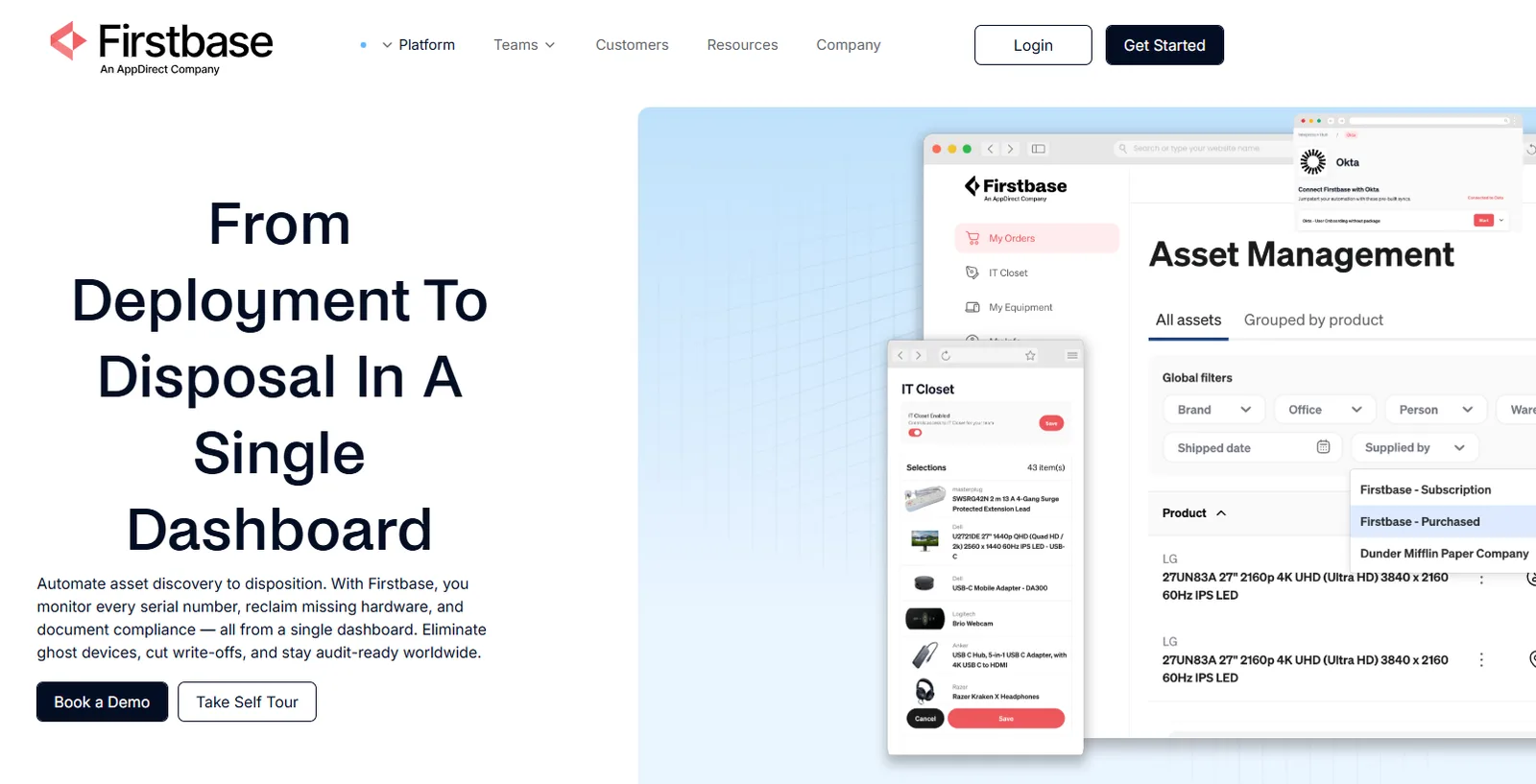
Firstbase is a lifecycle management platform built for distributed teams. Where most ITAM tools stop at recording device data, Firstbase runs the physical operations behind it: procurement, deployment, retrieval, repair, and certified end-of-life disposal. It pairs a SaaS portal with a global logistics engine across 150+ countries, so IT, HR, and Finance work from one system instead of stitching together vendors by region.
What stands out
- 97% retrieval rate: Firstbase automates address confirmations, ships prepaid return kits to the employee's home, and handles all follow-ups. The entire cycle from offboarding trigger to wiped-and-shelved takes under 30 days.
- Virtual IT Closet: Employees order pre-approved peripherals from a self-service catalog. IT approves with one click. No more Amazon orders, address chasing, or ad-hoc expense tracking.
- Legacy fleet ingestion: You don't have to buy new hardware through Firstbase to use it. Ship your existing devices to their warehouse; they'll tag, grade, and fold them into the same tracking and redeployment pipeline.
Automation depth: High. HRIS triggers (Workday, BambooHR) auto-kick onboarding and offboarding workflows. MDM syncs with Jamf, and Intune handles imaging. Retrieval kits ship automatically when an employee exits; IT doesn't touch a shipping label.
Lifecycle coverage: Full. Procurement, storage, imaging, shipping, break/fix, retrieval, data wiping (NIST 800-88), certified destruction, and remarketing. Proceeds from resold hardware come back as quarterly credits.
IT asset management: Real-time dashboard covering every device (Firstbase-supplied or legacy), with serial-to-employee mapping, warranty tracking, and exportable audit trails for SOC 2, HIPAA, GDPR, and CCPA.
Limitation
On the operations side, a few users have flagged shipping times as occasionally inconsistent during fast onboarding windows. And the reporting, while functional, could use more depth around device lifecycle customization. Neither is a dealbreaker, but worth knowing if granular reporting matters to your workflow.
FAQs
What happens to our existing device fleet? Do we have to buy everything through Firstbase?
No. Firstbase supports flexible procurement. You can buy through Firstbase, lease equipment, or send in the devices you already own. Firstbase can ingest legacy fleets, tag them, track them, store them, ship them, retrieve them, wipe them, and redeploy them through the same lifecycle workflow.
Will Firstbase integrate with our existing MDM and HRIS stack?
Yes. Firstbase is built to work with your current systems, including MDM, HRIS, ITSM, and SSO tools. Your MDM still handles enrollment, policies, apps, and remote wipe. Firstbase connects the physical workflow around it, so HRIS triggers can start onboarding and offboarding, while device status stays tied to the employee and asset record.
Firstbase customers report getting back 1.6x as many devices as before. Take a self-guided product tour to see how retrieval workflows, global deployment, and lifecycle tracking work inside the platform.
PRODUCT TOUR
See How Firstbase Works
Take a self-guided tour to see how Firstbase handles retrieval workflows, global deployment, and lifecycle tracking alongside your ITAM stack.
Take the TourNinjaOne
Customer rating: 4.7
Best for: IT teams consolidating RMM, patching, and backup
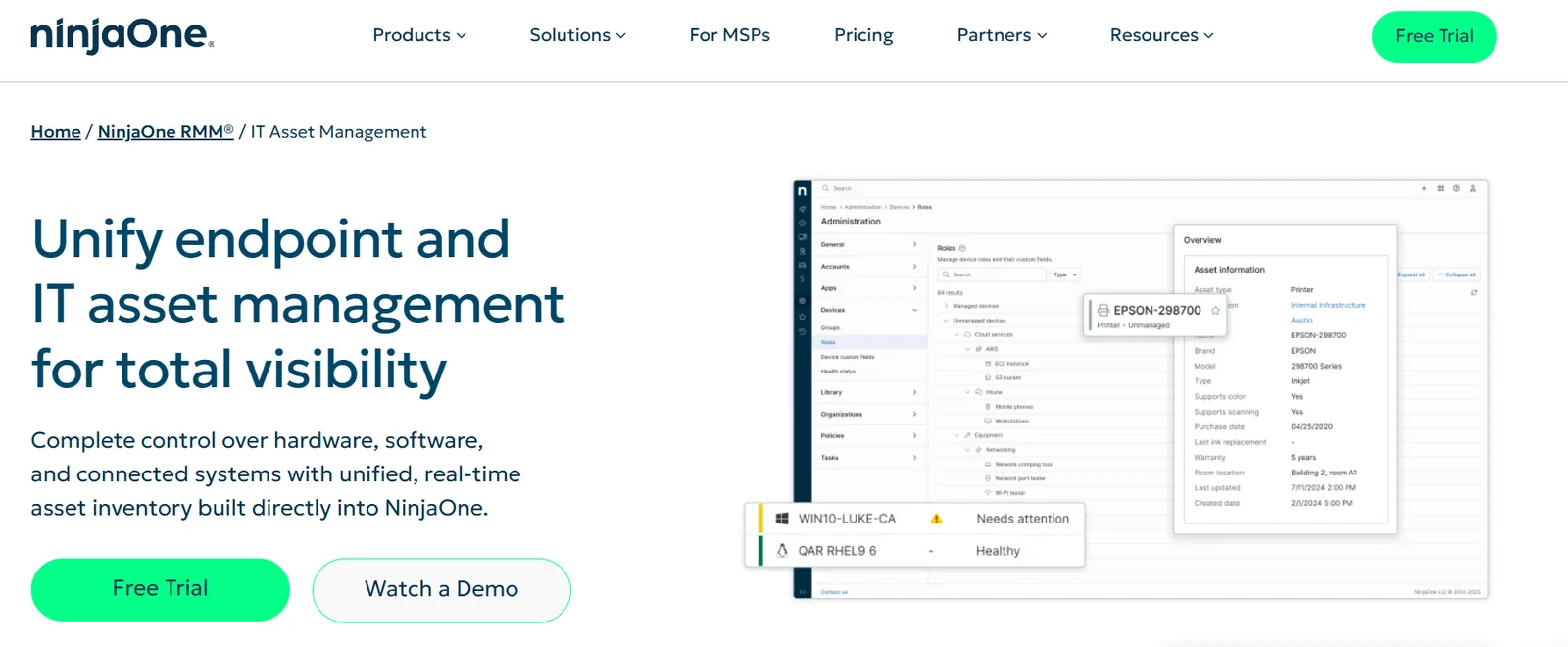
NinjaOne started as an RMM and grew into something broader. Today, it bundles endpoint monitoring, patching, backup, and asset tracking behind a single agent. If you're coming from Lansweeper purely because you want better device management on top of your inventory data, NinjaOne is probably the first name you'll hear.
What stands out
- Single-agent architecture. One agent handles monitoring, patching, backup, and remote access. Deployment is fast, and there's no tool conflict to manage.
- Shadow IT detection. Finds unmanaged devices on the network, including IoT and legacy systems, which helps close visibility gaps.
- Support reputation. One of the top reasons people leave Lansweeper is poor support. NinjaOne's customer success team is consistently well-reviewed.
Automation depth: NinjaOne automates what happens after a device powers on: policy enforcement, app installs, and MDM enrollment. IT pre-registers the device, and once it connects to a network, configuration happens without manual touchpoints. But the physical logistics before that moment are still on your team or a separate vendor.
Lifecycle coverage: Covers the digital half well. Monitoring, patching, warranty tracking, backup. The physical half (procurement, shipping, retrieval, disposal) isn't part of the product.
IT asset management: Offers live hardware and software inventory management, license tracking, and device-to-user mapping. Good for knowing what you have; not built for moving it.
Limitation
Users have noted that scripting and automation don't integrate as smoothly on servers, and policy inheritance can behave unexpectedly with edge cases. If you're managing a large server fleet alongside endpoint management, you may still need a separate tool.
ManageEngine AssetExplorer
Customer rating: 4.2
Best for: Budget-conscious teams needing ITAM with CMDB and license tracking
ManageEngine AssetExplorer is an ITAM platform from the Zoho family that covers the traditional checklist: discovery, inventory, software licensing, CMDB, purchase orders, and contract management. It ships as both on-prem and cloud, and it's been around long enough. If your main need is tracking assets across multiple sites and staying audit-ready, AssetExplorer handles that at a fair price.
What stands out
- Visual lifecycle builder: Drag-and-drop canvas for mapping how a device moves through your org. Each product type gets its own lifecycle. One of the more intuitive approaches at this price tier.
- License compliance: Continuous software reconciliation flags underused licenses and prohibited installs. Useful if Microsoft audits keep you up at night.
- CMDB with dependency mapping: Shows how configuration items relate to each other during change management or root cause analysis.
Automation depth: No-code workflow builders let you design asset lifecycles with drag-and-drop, trigger notifications on state changes, and auto-assign devices based on login history. Webhooks are there for custom needs.
Lifecycle coverage: Purchase orders, vendor management, discovery, inventory, license tracking, and disposal workflows. Physical logistics aren't part of the product.
IT asset management: Agent-based and agentless discovery across Windows, Linux, and macOS. It supports barcodes, QR codes, and RFID, as well as query-based reporting and compliance dashboards.
Limitation
Setup feels heavy. Reviewers flag the UX as confusing in early stages, and support can be hit-or-miss. Network device discovery without Active Directory integration is also a known gap.
Freshservice
Customer rating: 4.6
Best for: Mid-market teams running service desk and asset management together
Freshservice is Freshworks' IT service management platform that has since expanded to include ITAM, and it shows. The service desk DNA is strong with ticketing, SLA management, and approval chains that work well out of the box. The asset management layer on top of that gives you discovery, software license management, and a CMDB with dependency mapping. If your team already works in the Freshworks ecosystem, it's a natural fit.
What stands out
- AI-assisted incident resolution: Freddy AI pulls past incidents linked to similar assets and surfaces them during new tickets.
- Dependency mapping: Visualizes how apps, services, and infrastructure connect. Useful for planning changes without accidentally breaking something upstream.
- Enterprise service management beyond IT: HR, facilities, and finance can all run service delivery through the same platform.
Automation depth: Freddy AI (Freshworks' built-in AI) handles incident suggestions, auto-generates post-incident reports, and lets employees raise software requests through natural language. Workflow automations cover ticket routing, approval chains, and SLA escalations.
Lifecycle coverage: Discovery, inventory, license management, CMDB, and disposal tracking inside the platform. No procurement logistics, physical shipping, or retrieval workflows.
IT asset management: Automated discovery across hybrid on-prem and cloud environments. Software license reconciliation with compliance dashboards. IP address management and data center infrastructure tracking round it out.
Limitation
Configuring Freshservice to match your specific workflows takes real upfront effort when you're mixing IT assets with physical or facilities management. Reviewers note that getting AI and automation features to their full potential requires ongoing time investment.
ServiceNow ITAM
Customer rating: 4.3
Best for: Large enterprises standardizing ITAM, ITSM, and security on one platform
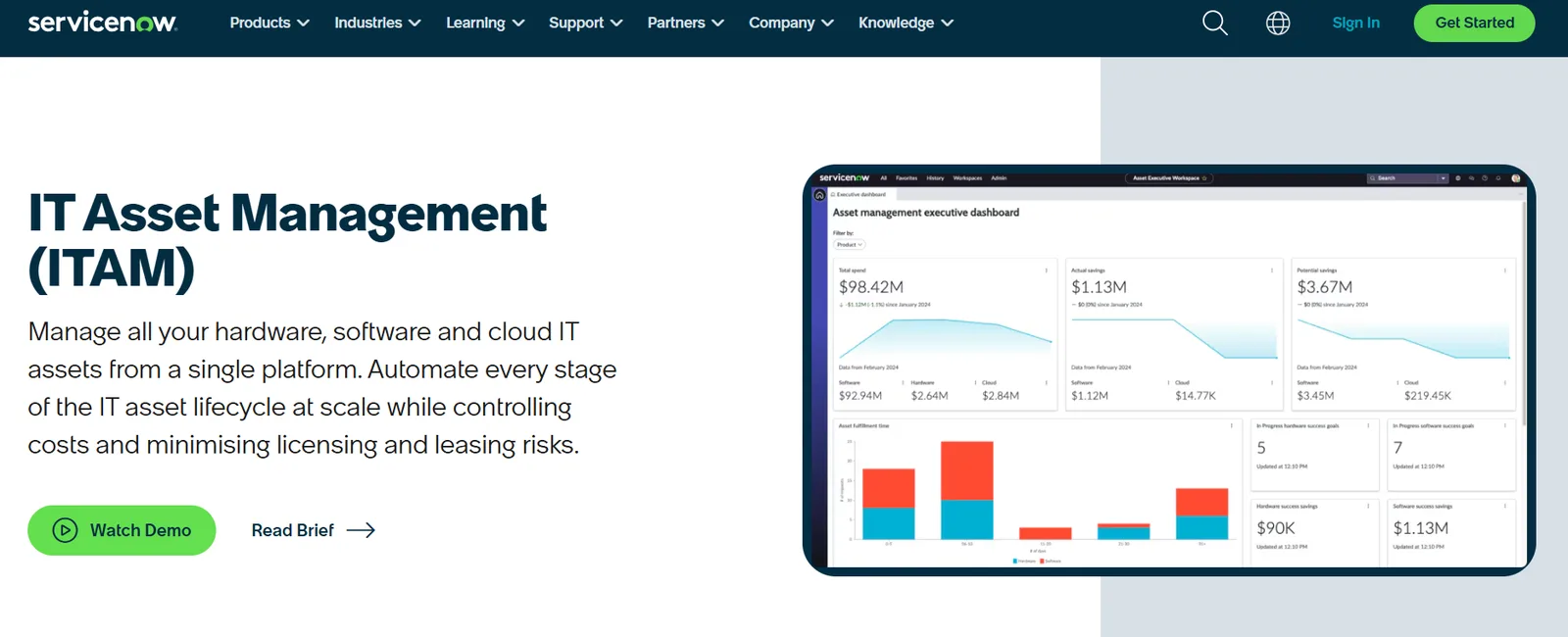
ServiceNow ITAM is the enterprise heavyweight. It runs on the same platform as ServiceNow's ITSM, ITOM, and security products, which means your asset data lives alongside your tickets, change requests, and CMDB in a single data model. For large organizations already on ServiceNow, adding ITAM is a natural extension.
What stands out
- Single data model: Your CMDB, service desk, change management, and asset records all share one data source. No syncing between tools, no duplicate entries.
- SaaS license management: Goes beyond traditional software licensing to track cloud subscription costs and usage.
- Asset onboarding and offboarding workflows: Digital workflows that manage the process end-to-end inside the platform.
Automation depth: No-code playbooks automate asset workflows across the full lifecycle. Predictive intelligence flags issues before they pile up. Self-healing systems handle routine problems without human input. The automation is deep on the software asset management and workflow side.
Lifecycle coverage: Covers software, hardware, and cloud asset tracking from procurement through disposal. Contract and renewal management included. Physical side (shipping, retrieval, customs) remains outside the product.
IT asset management: It supports discovery across on-prem, cloud, and hybrid environments. Hardware, software, and SaaS tracking with executive dashboards and compliance reporting.
Limitation
Expensive, and the setup isn't quick. Reviewers consistently flag implementation complexity and the need for dedicated technical resources. License management across vendors like Microsoft, Oracle, and SAP requires ongoing effort. Smaller teams will find it overkill.
What Does It Cost When Your ITAM Tool Can't Procure, Ship, or Retrieve Hardware?
Every platform above does some version of the same thing: find devices, track them, report on them. But there are still a few hardware operations gaps.
- Lost devices: The industry average retrieval rate is 30-50%, according to Gartner analysts. At an even generous 70% rate, that's 45 unrecovered laptops per year. At $1,500 per device, you're writing off $67,500 annually.
- Burned IT hours: It takes roughly 5 hours per remote employee per year to handle logistics: address confirmations, packing, shipping labels, tracking emails, and FedEx runs. At 1,000 employees, that's 5,000 hours, or the equivalent of 2.5 full-time staff at $100k salary each.
- Shipping costs that scale per head: Most remote organizations spend $100/year per employee on shipping alone. For 1,000 employees, that's $100,000 in carrier fees alone.
- Compliance exposure: A device that isn't retrieved can't be wiped. Morgan Stanley paid a $35 million fine over improperly decommissioned hardware. Your ITAM dashboard shows the device as "deployed to John Doe, terminated." It can't get it back, wipe it, or produce a destruction certificate for your auditor.
- Delayed onboarding: Without local warehousing and pre-staged inventory, new hires in regions like India can wait 6-10 weeks for a provisioned laptop. That's weeks of lost productivity before someone writes a single line of code.
Add it up for a 1,000-person company: $67,500 in lost hardware, $250,000 in logistics headcount, $100,000 in shipping. That's near $400,000 a year spent on work that no ITAM tool on this list was designed to handle.
How Does Firstbase Cover What Lansweeper and Every Alternative Leave Open?
Here's what changes when you add a hardware operations layer, like Firstbase, to your ITAM stack:
- Retrieval rates go to 90%+: Offboarding triggers an automated workflow, including address confirmation, a prepaid return kit shipped to the employee's home, and a courier pickup scheduled. You won't need FedEx runs or chasing ex-employees over email. The full cycle from offboarding trigger to wiped-and-shelved device takes under 30 days.
- IT gets 75% of its logistics time back: The 5 hours per employee burden we calculated earlier drops by three-quarters. Firstbase handles the packing, labeling, shipping, tracking, and follow-ups. IT approves a request; the platform runs the rest.
- Fleet becomes visible and actionable: Firstbase tracks both new and legacy devices in a single dashboard, with real-time status for every serial number. The platform improves asset-tracking accuracy by 1.8x compared to their previous setup. That's the difference between knowing you own 400 laptops and knowing which 12 are sitting in a warehouse ready to ship tomorrow.
- Global hiring doesn't challenge IT: Firstbase maintains a pre-staged inventory in bonded warehouses across 150+ countries, with 48-hour deployment SLAs. IT environments that need a procurement specialist per region can be consolidated to a single point of coordination while still covering every geography they hire in.
- Retired devices generate value instead of write-offs: Retrieved hardware gets graded, wiped to NIST 800-88 standards, and either redeployed or remarketed. IT equipment stock levels drop by as much as 30% because devices actually cycle back into use. Resale proceeds return as quarterly credits against future procurement.
How to choose the right Lansweeper alternative
Use this checklist before you choose your IT asset management tool:
Do you need asset discovery only, or do you also need to ship, retrieve, and redeploy hardware?
How many countries do you operate in, and can the tool handle local procurement and customs in each?
What's your current retrieval rate, and does this tool improve it or just document it?
Can it plug into your existing HRIS and MDM without any custom development?
Will your IT team still be making FedEx runs and printing shipping labels after implementation?
Does it produce audit-ready destruction certificates, or just a log entry that says "wiped"?
Still Comparing Features, or Ready to Close the Gap?
Lansweeper and its alternative asset management platforms track devices well. The pricing and packaging differ, but the core job is the same: scan your network, inventory what's there, and generate reports. Where they all stop is the physical logistics.
Firstbase picks up where these tools stop. It connects to the HRIS and MDM stack you already run (Workday, Jamf, Intune, ServiceNow) and automates the physical lifecycle: procurement, warehousing, deployment, break/fix, retrieval, data destruction, and resale.
The average Firstbase customer saves $163,000 and 2,300 IT hours per year. Book a demo to see what those numbers look like for your team.
Written by
Ahmad Zakaria
Ahmad Zakaria covers IT operations, hardware lifecycle management, and distributed workforce solutions at Firstbase. His content is built from real customer data, operator interviews, and hands-on experience managing devices across 150+ countries.
Get started with
Firstbase today
Remote and hybrid work aren't going anywhere. It's our mission to make it easier to manage the assets your distributed team needs—from onboarding through offboarding and every repair, replacement, and upgrade in between.
Fill out the form and a member from our team will reach out by phone!
Get a Live Demo