Jira Service Management Review IT Managers at Distributed Companies Need
If you're evaluating Jira Service Management in 2026, the short answer is yes, it's good. There's ticketing, incident response, change management, and SLA compliance. JSM handles ITSM workflows and covers everything on…
 Ahmad ZakariaSeptember 7, 2026
Table of contents
If you're evaluating Jira Service Management in 2026, the short answer is yes, it's good. There's ticketing, incident response, change management, and SLA compliance. JSM handles ITSM workflows and covers everything on the market, particularly for teams already in the Atlassian ecosystem.
But the longer answer would be more uncomfortable. JSM has no built-in purchase order tracking. Its Assets module logs serial numbers, assignments, and warranty status, but it doesn't procure devices, ship them globally, or retrieve them when someone leaves. The offboarding ticket closes, and the laptop doesn't come back. It's the gap between asset tracking and asset operations, and it's also the one thing most JSM reviews don't address.
This review breaks down what the Jira platform actually does well, where the gaps are, and how an execution layer like Firstbase handles the physical device work that remains outside JSM's scope.
Jira Service Management
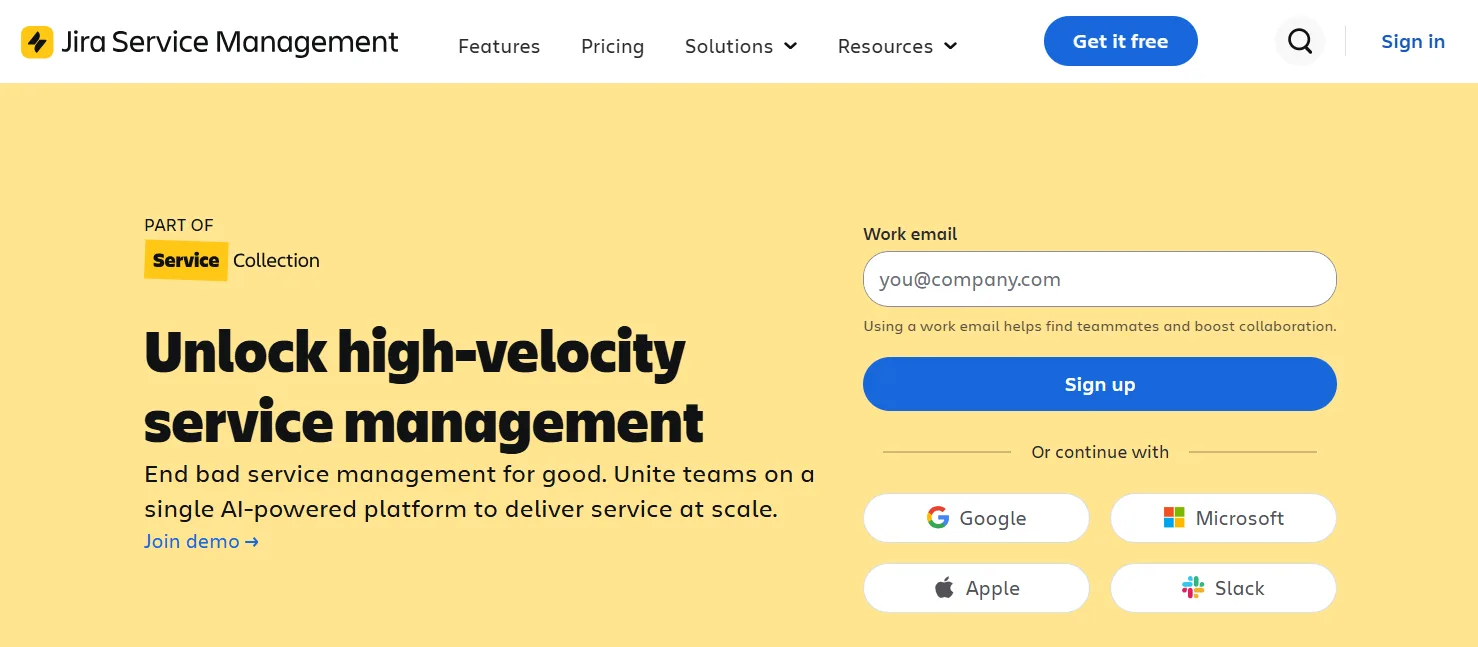
Jira Service Management is Atlassian's IT service management platform, built to help teams handle service requests, incidents, and changes from a single system. It started as Jira Service Desk (focused on ticketing) and has since expanded into a broader ITSM product with AI capabilities, asset tracking, and configuration management.
JSM is designed for IT teams that need structured ITIL-aligned workflows, but Atlassian also positions it for HR, facilities, and other service teams.
Best for
IT teams that need ITIL-aligned service management with tight integration with the Atlassian products and ecosystem, particularly those already running Jira Software or Confluence.
An Overview of Jira Service Management Features
Let's look at the features that make JSM worth having as your ITSM partner.
Request Management
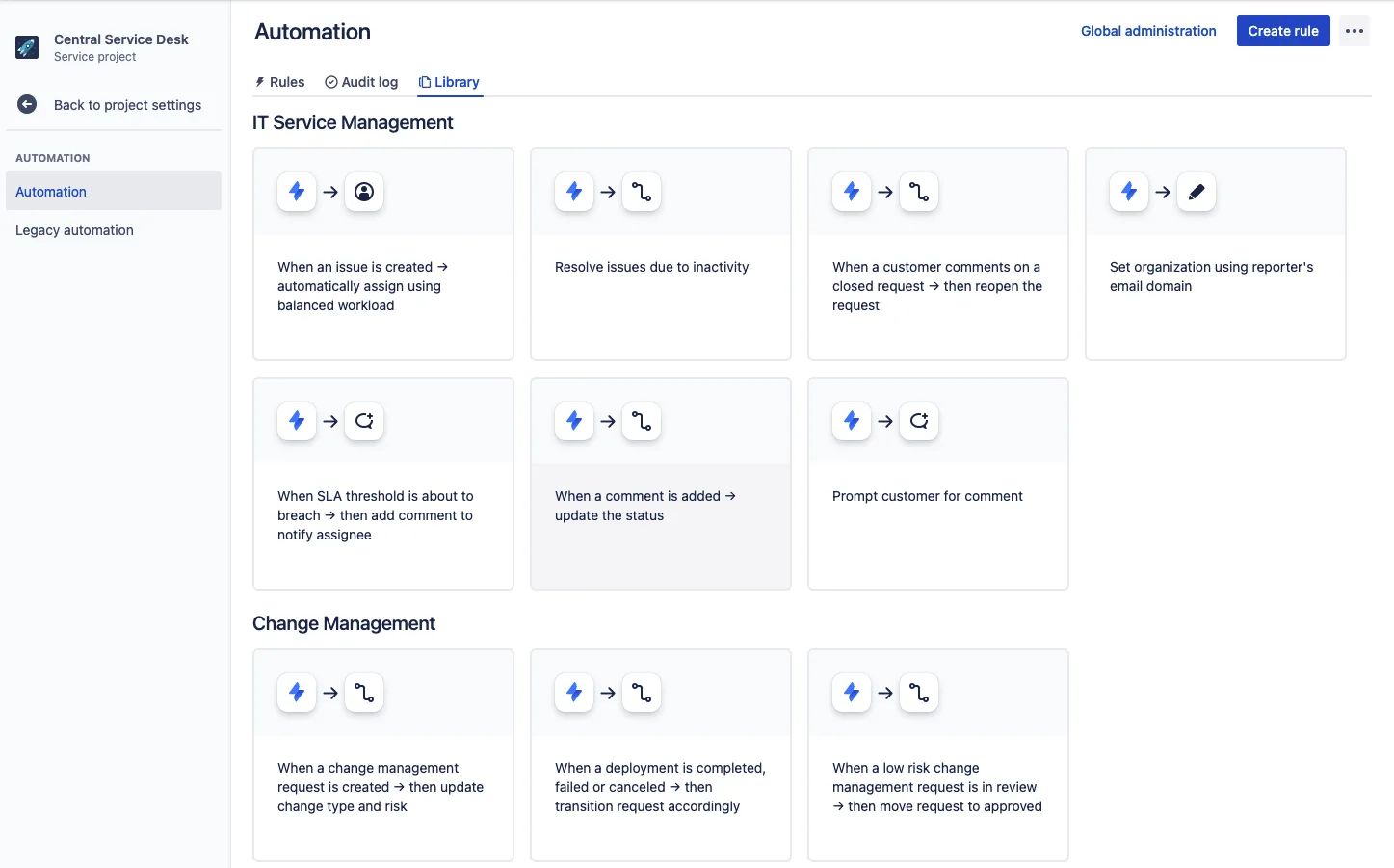
JSM gives teams a single place to receive, assign, and track service requests. Employees and customers submit requests through a portal, and those requests get routed to the right team based on pre-set rules. Everything stays in one queue, so nothing gets lost across email threads or Slack messages.
Incident Management
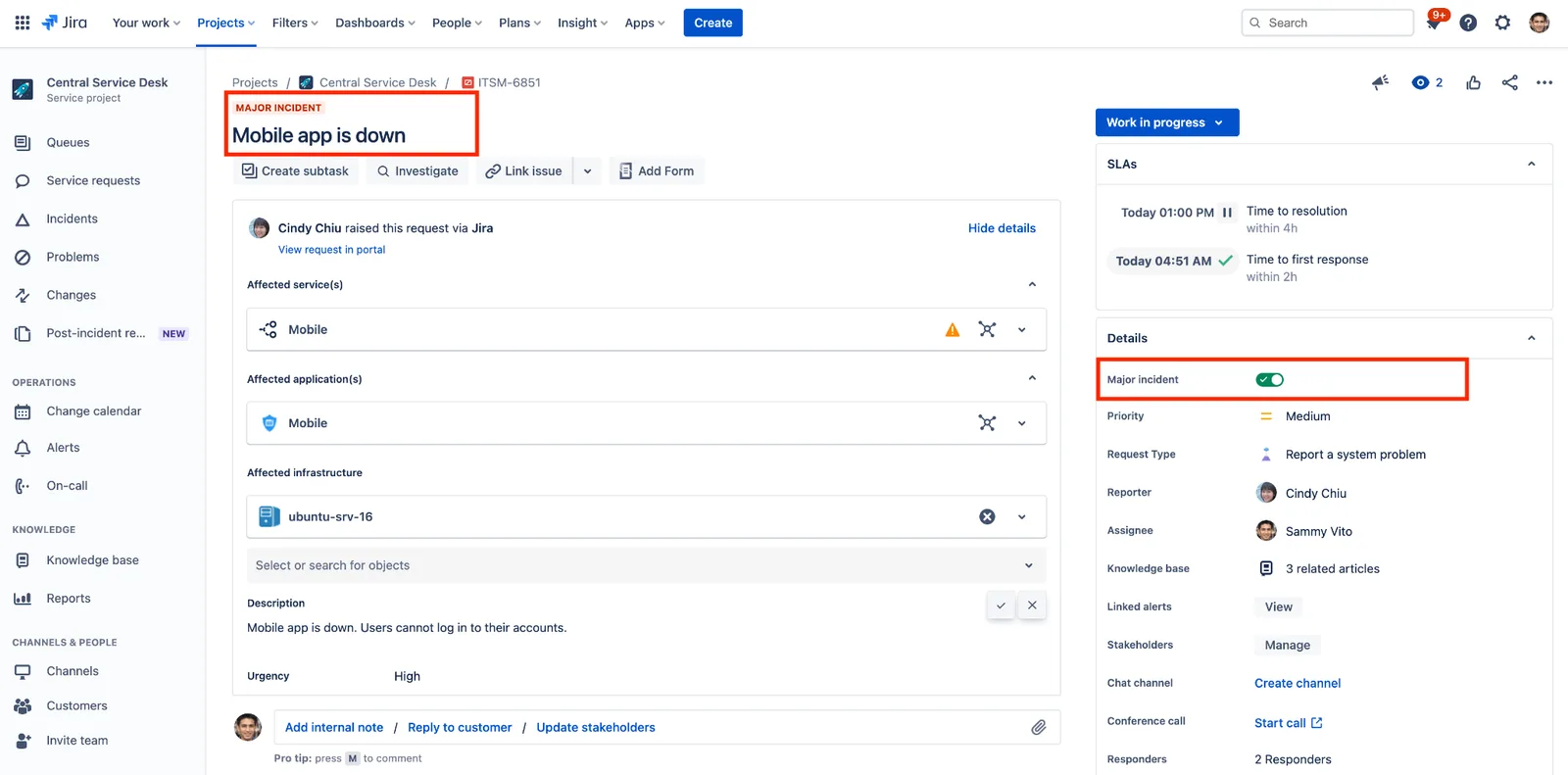
When something breaks, JSM connects your dev and ops teams to respond faster. AI groups related alerts together so responders aren't buried in duplicate notifications, and escalation paths are built in. Post-incident, JSM can generate summaries so teams can review what happened without spending hours writing reports.
Change Management
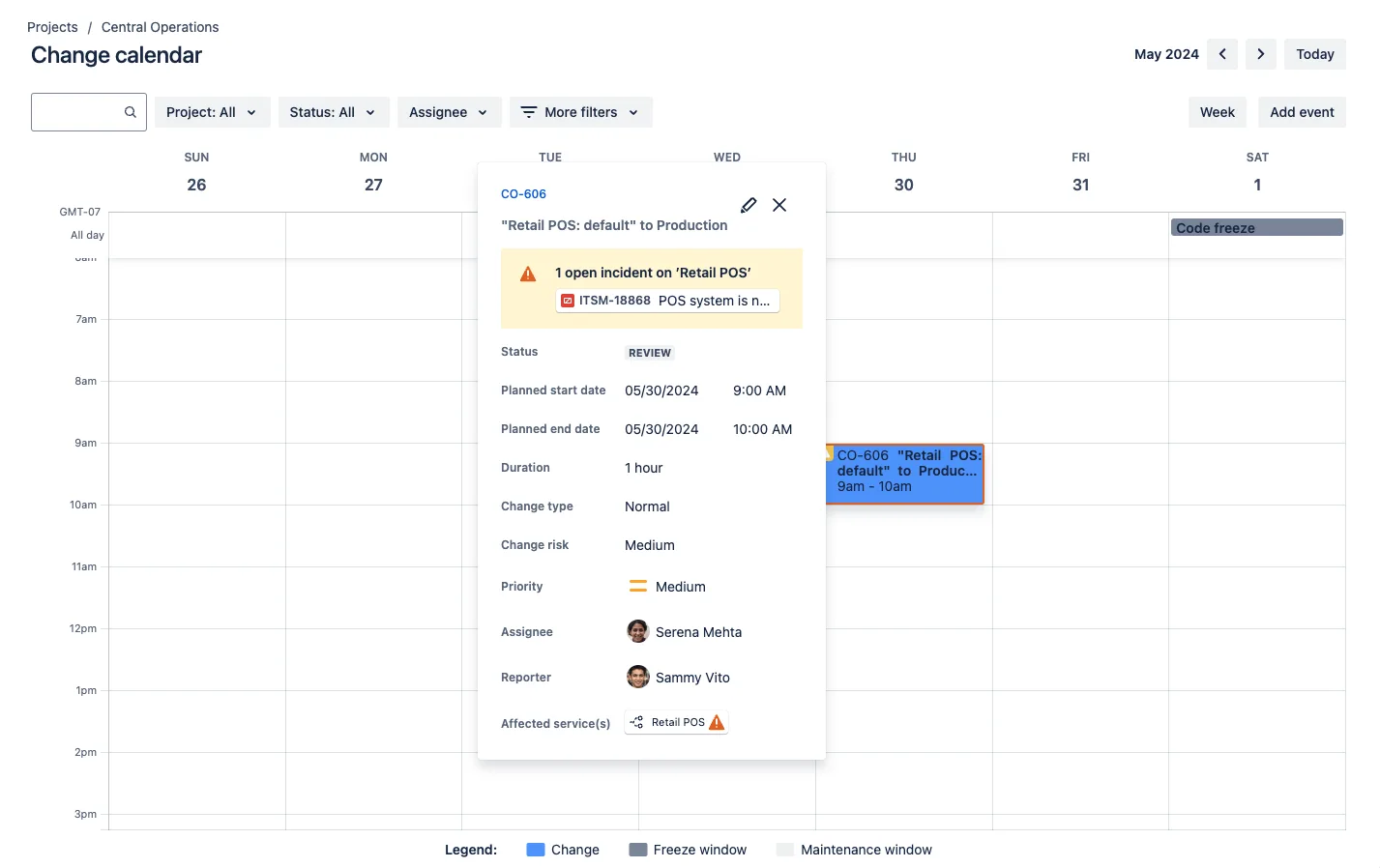
JSM pulls in deployment data from dev tools so ops teams can see exactly what's changing before they approve it. That visibility helps reduce the back-and-forth between teams and cuts down the risk of a change causing an outage nobody saw coming.
Asset and Configuration Management
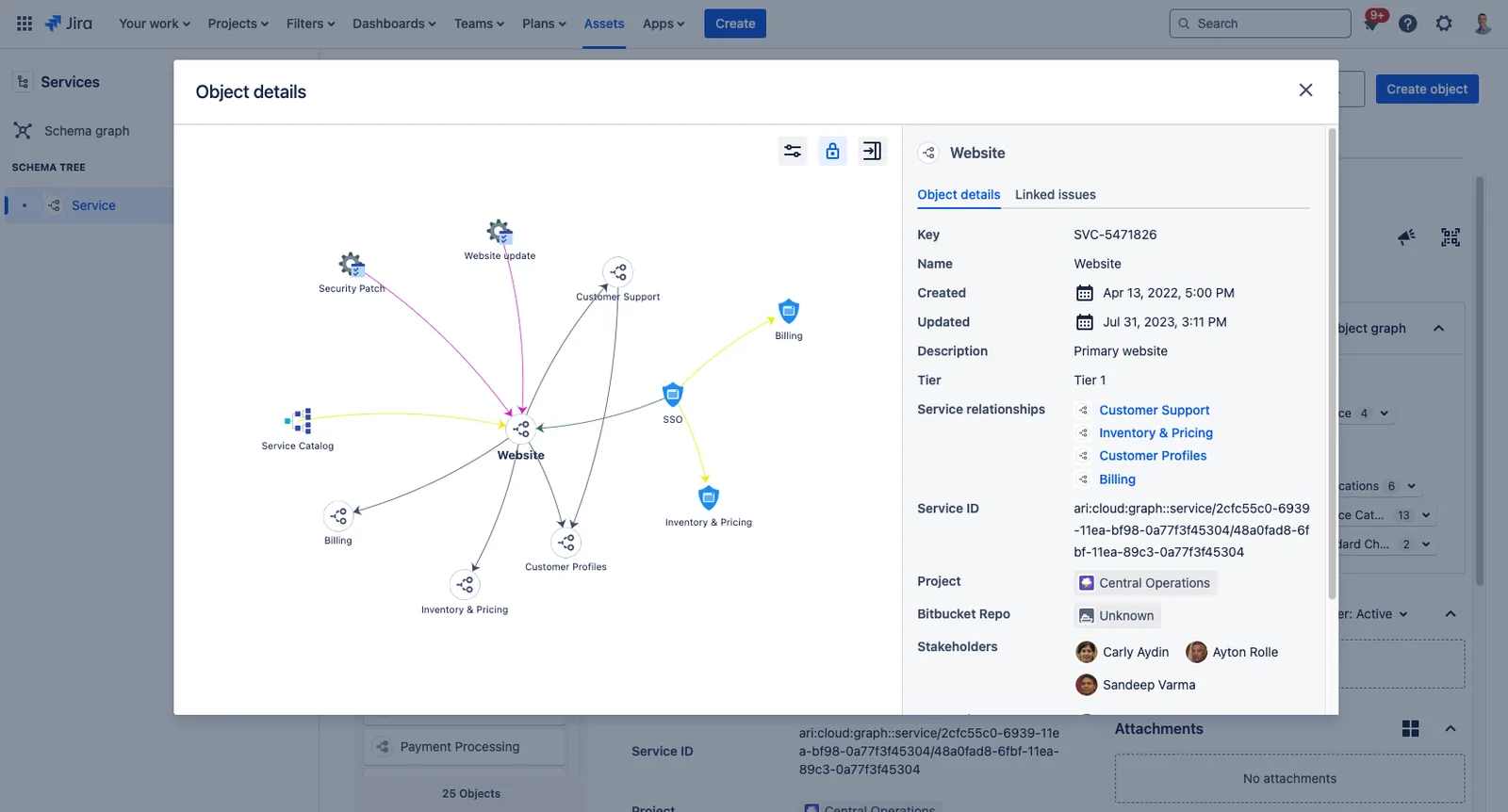
The Assets module (available on Premium plans) tracks hardware and software inventory, ownership assignments, warranty dates, and lifecycle status. You can link assets to service tickets for added context during incidents or requests.
JSM maps out how your infrastructure connects. Say, which services depend on which servers, which applications rely on which databases. That dependency view helps teams understand blast radius before making changes or diagnosing incidents.
Knowledge Management
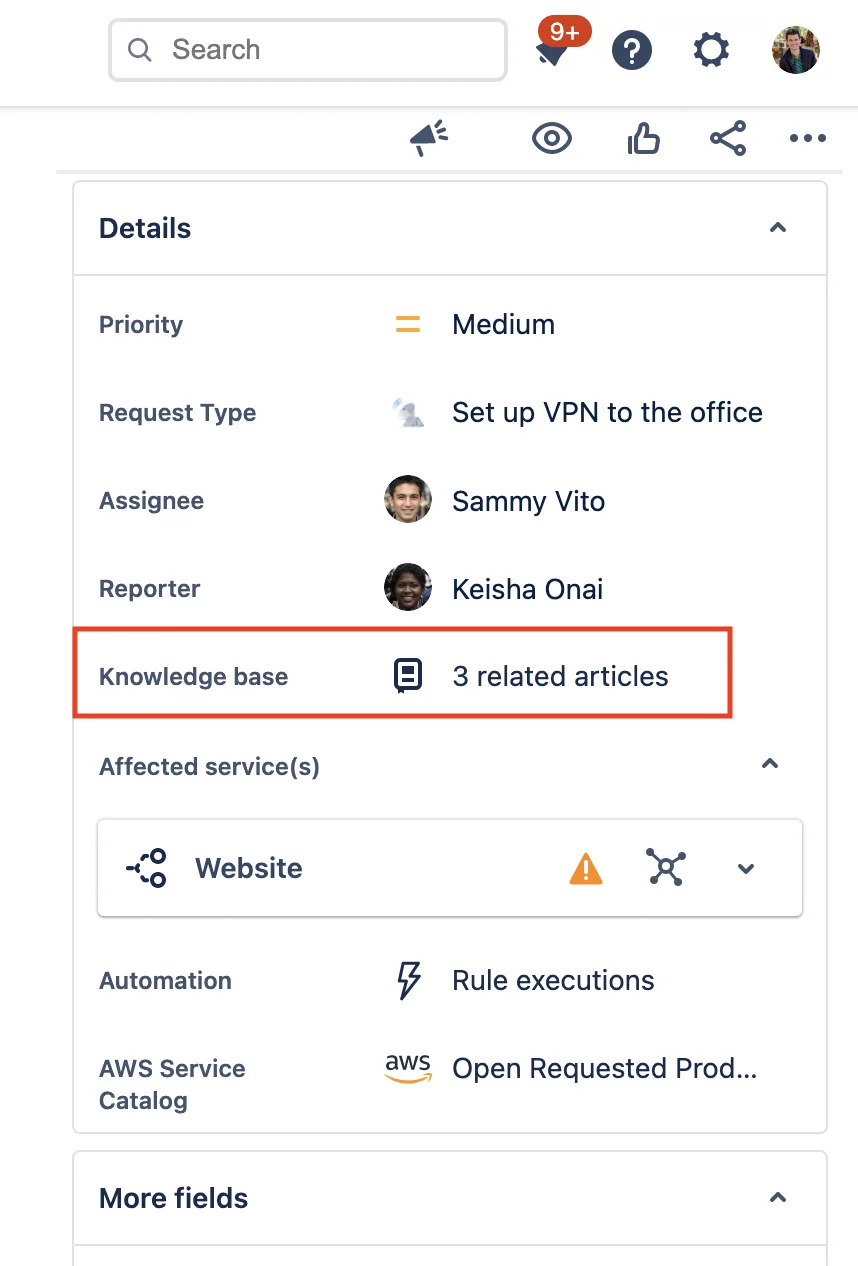
JSM includes a self-service knowledge base where employees can find answers before they file a ticket. AI fills in some of the gaps by flagging missing articles and drafting new ones based on common request patterns.
AI Agents
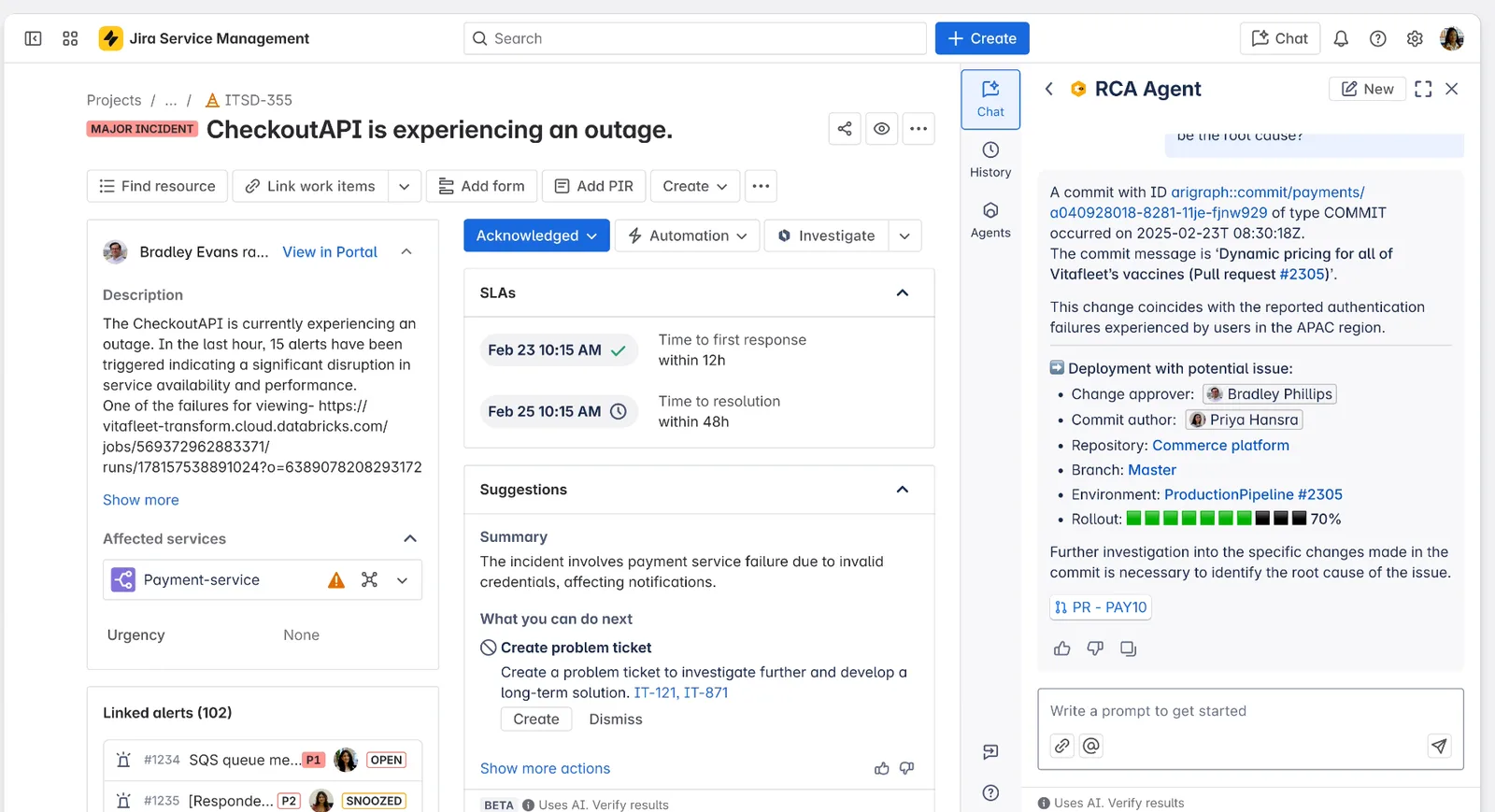
JSM's virtual agents handle front-line support around the clock. They triage incoming requests, suggest resolution steps from your existing knowledge base, and answer routine employee questions without a human agent getting involved.
What Are JSM's Real Limitations?
JSM's strengths are well-documented, but its limitations are less discussed. They come up consistently across public reviews and Reddit threads from IT practitioners who've used it in production.
Some users report a steep learning curve, with backend settings for workflows, user management, fields, and automation rules feeling fragmented. Finding the right setting often means you'll have to click through 20+ tabs to locate one small section. JSM provides very little out-of-the-box ITSM configuration. Compared to other service management products, it's almost entirely build-it-yourself. That works for teams with dedicated Jira admins, but may not for smaller IT departments.
Licensing is per-agent, and you can't separate Jira Software and JSM licenses, which makes cost management harder for teams that don't need both. Renewal costs catch teams off guard, particularly as headcount grows. For smaller organizations, the per-user model gets expensive relative to what you actually use.
You can't combine duplicate tickets natively. The workaround is to mark one as a duplicate and build a custom automation rule to merge contexts. But that still requires manually adding users to the primary ticket. It isn't always clear which tickets are assigned to you. The UI doesn't surface this well, and the lack of guided next steps leaves agents guessing about priority.
The customer-facing UI and self-service portal feature set are weak. Multiple reviewers flag this as a gap that hasn't been addressed despite being a consistent ask.
JSM's Asset Management Module: What It Tracks vs. What It Doesn't Execute
The limitations above are about JSM as an ITSM platform. But the bigger blind spot in most reviews is JSM's Assets module, which ships with Premium plans ($51/agent/month) and gets treated like a complete hardware management solution.
It isn't. JSM Assets is a record-keeping system. It tracks what you tell it, and it tracks it well. But there's a difference between knowing where a device is supposed to be and making sure it gets there for real.
Here's where that line falls:
| What JSM Assets tracks | What JSM Assets doesn't execute |
|---|---|
| Serial numbers, model info, ownership assignments | Device procurement (no built-in purchase order tracking; Teams use third-party Marketplace apps like Raley PO or Shoppie to fill this gap) |
| Lifecycle states (On Order, In Use, Retired) | Physical shipping or delivery to employees, locally or internationally |
| Warranty and license expiration dates | Device retrieval from departing employees (JSM can list assigned assets on an offboarding ticket, but it can't generate a shipping label, schedule a pickup, or track the return without a Shipping API integration) |
| Configuration item dependencies (CMDB) | Certified data destruction or disk sanitization |
| Low-stock alerts that notify procurement teams | Device imaging, configuration, or redeployment prep |
| Asset-to-ticket linking for incident context | Storage, warehousing, or inventory fulfillment |
The pattern is consistent. You can use JSM to check an asset's status, but it doesn't change the status by performing the physical work.
And this is where IT teams at distributed companies hit the wall. The offboarding ticket in JSM resolves on time, automation triggers, and asset record updates. But the laptop is still sitting in a former employee's home office in another country, and JSM has no mechanism to go get it.
How Firstbase Covers the Execution Gap JSM Leaves Open
Everything beyond the record (buying the device, shipping it, getting it back, wiping it) requires a different system. Firstbase is a strong choice for that second category. Let's see what that looks like in practice.
Procurement and Deployment
Firstbase handles device purchasing, imaging, and global shipping directly. New hires get a link to select from pre-approved devices based on their role, and Firstbase handles the rest: order, configure, ship.
The platform currently ships to 150+ countries.
For example, at New Relic, one procurement specialist manages 4,000 laptops across multiple countries through Firstbase.
"It's very difficult for us to maintain the same level of success without having a managed partner like Firstbase helping us facilitate that. The barrier to entry in new regions, as we continue to grow and scale, is much lower with Firstbase by our side than if it were us having to go alone."
Thomas Olson, Manager of IT Program Management
Automated Retrieval
This is where the JSM gap is most visible. JSM can flag an employee as terminated and list their assigned assets. It can't generate a return label, schedule a pickup, or track whether the device actually came back.
Firstbase automates retrievals through HRIS triggers. When HR updates an employee's status in Workday, Firstbase initiates the return process automatically every 24 hours. As a result, customers get a 97%+ retrieval rate, compared to the industry average of 30-50%.
The full cycle from offboarding to being wiped and back in inventory takes under 30 days. Firstbase also now supports office pickups for companies that need to retrieve or retire devices stored at business locations, not just remote employee homes.
Certified Data Destruction and ITAD
The retrieved devices undergo NIST 800-88-certified data wipes, and auto-generated Certificates of Destruction are stored in-platform which means your legal and security teams have an auditable destruction record without chasing IT for documentation. Devices in good condition get refurbished and redeployed.
An enterprise software company recovered $175,000+ in device-reuse value and saved 700+ hours of administrative work by running retrievals through Firstbase during a post-acquisition restructuring.
Connecting It All Back to Your IT Stack
Teams with engineering support can connect Firstbase to JSM through the Firstbase API.
Instead of logging into Firstbase to act on a ticket, your automation calls the API directly. It can start a return or replacement order when a damaged-device request comes in, or trigger the full offboarding workflow when an employee leaves, including ITAD for returned laptops and phones. It can also add devices bought outside Firstbase to inventory with a serial number and assignee, no code required.
FAQs
It's because JSM's Assets module is a record-keeping system, not an operations system. For example, it can log that a laptop is assigned to an employee in Berlin, track its warranty status, and link it to a service ticket. What it can't do is buy that laptop, ship it to Berlin, retrieve it when the employee leaves, or wipe it to NIST 800-88 standards before redeploying it. Firstbase handles the physical execution described in the asset record.
The workflow routes a ticket. After that, IT is still manually confirming the employee's current address, sending packing materials, generating return labels, and following up when nothing shows up. That's why industry retrieval rates are low on average. Incoming requests are closed with quicker response times, but the laptop often doesn't come back.
Firstbase automates the actual return process through HRIS triggers and handles the logistics end-to-end, which is how it consistently hits 90%+ retrieval rates.
JSM does trigger a service request. But your IT team still has to pick up that request, check what's in stock, figure out procurement (JSM has no native purchase order tracking), coordinate with a vendor, arrange shipping, and deal with customs if the new hire is international.
Firstbase connects directly to HRIS platforms like Workday, BambooHR, and Rippling. So, a new-hire entry automatically triggers device selection, procurement, and global shipping. IT doesn't have to touch it.
No. Your ticketing system, problem management, and change workflows stay as they are. Firstbase Workflows, a visual automation builder powered by n8n, includes pre-built nodes for Jira and other advanced ITSM features, along with webhook and HTTP request support for any system with a REST API.
So if you want a device return event in Firstbase to trigger a JSM ticket update or a Slack notification, you can build that without reworking anything you've already configured in JSM. Your IT team controls the logic.
When JSM Works, and When You've Outgrown It
JSM is a strong platform. The question is whether your hardware operations have grown past what they were designed to handle. Here's a quick way to think about it:
Your team is mostly in the office, and devices are managed on-site. You have fewer than 200 employees and limited international hiring. Your ITSM needs are the priority, and physical device logistics are still manageable with one or two IT staff members. You're already deep in the Atlassian ecosystem and need your ITSM, project management, and dev tools in one place.
You're distributed across multiple countries, and your IT team spends hours each week on shipping, returns, and vendor coordination. Your device retrieval rate is below 50%, and you're writing off hardware every quarter. Offboarding tickets close on time, but laptops aren't coming back. You've grown beyond 200 employees, and your IT team hasn't kept pace.
You need the physical execution layer that JSM doesn't cover: procurement, global shipping, retrieval, certified wipes, and redeployment. You want your JSM asset records to reflect what's actually happening with your hardware and not just what someone last updated manually.
Why Every JSM Review Leads to the Same Answer
If you checked most of the boxes in the "JSM is probably not enough" column, you're not looking at a JSM problem. You're looking at a category gap. JSM handles approval workflows but not the hardware. And no amount of configuring tickets, automation rules, or asset schemas will change the fact that someone still has to buy the device, ship it, chase it down, and wipe it.
Firstbase picks up where JSM's records stop. It handles procurement, global deployment, automated retrieval, certified data destruction, and device redeployment from a single platform. Your ITSM stays intact. The physical operations that your IT team has been doing manually get taken off their plate.
In fact, customers report cutting 75% of the manual work involved in managing their employee equipment lifecycle after switching to Firstbase. Book a demo to see how it works with your current stack.
Written by
Ahmad Zakaria
Ahmad Zakaria covers IT operations, hardware lifecycle management, and distributed workforce solutions at Firstbase. His content is built from real customer data, operator interviews, and hands-on experience managing devices across 150+ countries.
Get started with
Firstbase today
Remote and hybrid work aren't going anywhere. It's our mission to make it easier to manage the assets your distributed team needs—from onboarding through offboarding and every repair, replacement, and upgrade in between.
Fill out the form and a member from our team will reach out by phone!
Get a Live Demo