IT Onboarding Software
Compare IT onboarding software for distributed teams across identity, MDM, ITSM, device fulfillment, inventory, and employee offboarding.
 Ahmad ZakariaNovember 26, 2026
Table of contents
- TL;DR: Best IT onboarding software at a glance
- What is IT onboarding software and how is it different from HR onboarding?
- What are the five layers of IT onboarding?
- Where day one fails in the onboarding timeline
- The best IT onboarding software tools available in 2026
- MDM Platforms
- What to ask before choosing IT onboarding software
- Which Tool Fits, and When Have You Outgrown It?
- What does good IT onboarding look like for distributed teams?
If you head IT at a company of 1,000+ people spread across several countries, day-one delays rarely come from accounts. Those take minutes. The laptop doesn't.
A custom-configured laptop that a reseller doesn't have in stock needs at least six to eight weeks, and a cross-border shipment can sit in customs on top of that. You also tend to hear about the hire last, sometimes days before the start date, once a form or ticket reaches you.
Most IT onboarding software solutions don't account for that. HR platforms treat the device as a checkbox, while IT tools stop at accounts and apps. The first day breaks at the handoff between them.
This guide follows the timeline from offer letter to first login and shows where each handoff fails. Then we group the tools by layer and mark where each category stops and how some platforms like Firstbase start the laptop order from the new team members’ HR record.
TL;DR: Best IT onboarding software at a glance
Category | Platforms | What they do | Where they stop | Pricing model | Best for | Not for |
|---|---|---|---|---|---|---|
HRIS | BambooHR, Rippling, Workday | Hold the employee record, start date and onboarding paperwork | Connectors to other tools can drop or need extra setup | BambooHR $10-25 per employee/month; Rippling uses per-employee pricing, sometimes with a monthly base fee; Workday $96-504 per employee/year (estimated HCM cost, custom quotes). | Starting onboarding from one source of truth | Sourcing or shipping the laptop |
Identity | Okta, JumpCloud | Create accounts and app access from the HR record and suspend them at exit | Device-side features are harder to configure and manage | Okta $6-17 per user/month for entry-level plans; JumpCloud $9-13 per user/month billed annually, depending on product. | Automating account provisioning and SSO | Managing the physical device |
MDM | Jamf, Iru (formerly Kandji), Mosyle | Apply security policies and apps to enrolled devices | Zero-touch depends on the device being registered and delivered first | Jamf $12.50 per Mac/month or $5.75 per mobile device/month, billed annually; Mosyle offers a free plan and Premium at $5.50 per device/year; Iru requires a custom quote. | Securing laptops from the first login | Getting the laptop to the employee |
ITSM | ServiceNow, Jira Service Management, Freshservice | Route onboarding tickets and approvals between teams | Customizable workflows for effective employee onboarding take time to configure | Jira Service Management offers a free tier for up to 3 agents and Premium at $51.42 per agent/month; Freshservice costs $19-99 per agent/month, with custom Enterprise pricing; ServiceNow uses custom quotes. | Coordinating tasks across IT, Finance and HR teams | Doing the physical work behind a ticket |
Device lifecycle | Firstbase | Ship laptops enrolled from the HRIS record and retrieve them at exit | Works alongside your IdP and MDM instead of replacing them | Transparent, all-in pricing | Distributed teams hiring across several countries | Teams where every hire starts in one office |
What is IT onboarding software and how is it different from HR onboarding?
IT onboarding software manages the technical provisioning side of a new employee across an organization’s IT environment. It creates the user's identity and pushes app access through provisioning protocols like SCIM. It also enrolls the laptop in mobile device management (MDM), so encryption and security policies apply from the first login.
HR onboarding platform manages the employee’s transition into the organization from an employment and administrative perspective. Most lists of onboarding software you'll find online are really lists of HR tools.
The two share an employee record and a start date. After that, they split.
HR onboarding | IT onboarding | |
|---|---|---|
Owned by | HR or People Ops | IT |
What it handles | Offer letters, tax forms, policy sign-offs | User accounts, app access, laptop setup |
Compliance focus | Employment and labor law records | Encryption, device enrollment, access controls |
Company culture and day one | Welcome emails, training programs | Working laptop and logins on the start date |
Typical tools | HRIS, onboarding modules | Identity provider, MDM, service desk |
What are the five layers of IT onboarding?
IT onboarding works across five connected layers. Each one manages a different part of the employee’s technical setup, but none completes the entire process alone.
Layer | What it handles | Typical tools | What it assumes is already done |
|---|---|---|---|
HR | Employee record, start date, work location | BambooHR, Rippling, Workday | The offer is signed, and the record is entered on time |
Identity | User accounts, single sign-on, app access | Okta, JumpCloud | The HR record exists and is accurate |
Configuration | Security policies, apps, encryption on the laptop | Jamf, Iru (formerly Kandji), Microsoft Intune | The laptop is registered to the company and in the employee's hands |
Workflow | Tickets, approvals, task routing | ServiceNow, Jira Service Management, Freshservice | Someone has opened the onboarding request |
Physical device | Sourcing, configuring, and shipping the laptop | Device lifecycle platforms, resellers | IT knows the hire, start date, and address early enough to ship |
Where day one fails in the onboarding timeline
Between a signed offer and a first login, a new hire has to pass through six handoffs. They run across systems that don't share a trigger, and let’s see where each one fails.
No HRIS-to-IT event trigger: When the HRIS doesn't push a hire event to IT, the handoff runs on email or tickets, and the IT team re-keys the details into an asset spreadsheet. The device order can't start until someone finishes that manual step.
Start-date drift on form-based orders: An identity provider synced to the HRIS picks up a new start date automatically. A device order raised from a form has no link to that record, so it ships against the old date.
Country-bound reseller entities: Resellers often operate as separate legal entities in each country and can only ship within it. If your reseller has no entity in the new hire's country, you're either finding a new local supplier or exporting from headquarters. This will add transit time and can void local warranty.
Customs and duty documentation errors: Every cross-border shipment has to clear customs with duties and taxes paid and paperwork that matches the recipient. An error as small as a wrong postal code can hold a laptop at the border.
Missing zero-touch registration: Automated enrollment needs the Mac serial number or Windows hardware hash registered to your organization before it ships. Without that, IT could go back to being set up manually at 2-4 hours per device.
Identity provisioned ahead of hardware: HR-driven provisioning activates the account on the start date, whether the laptop has landed or not. The new hire has valid credentials and no managed device to sign in on.
Accounts and MDM profiles are ready within minutes of creating the HR record. A laptop has to be sourced and configured before it ships, and that takes days, or longer when it crosses a border. So count back from the start date to find the last day you can order, and have the HRIS record trigger it.
The best IT onboarding software tools available in 2026
The best onboarding software platforms below follow the five layers from the table above. They start where the hire event begins and end with the device.
HRIS platforms
An HRIS (human resources information system) is the system of record for employee data. The onboarding process starts here, because the signed offer creates the record that holds the start date and work location. Every layer after it either reads from that record through an integration or waits for someone to copy the details across.
BambooHR
BambooHR runs hiring and onboarding in one system, starting from its applicant tracking system. New hires complete pre-onboarding packets before day one. They e-sign tax forms and I-9 verifications, and that data syncs to the BambooHR employee record without manual work. It also offers 150+ pre-built integrations and built-in offboarding workflows.
Rippling

Rippling is an HRIS built for international teams, covering 185+ countries and payroll in 50+ currencies. You can hire through your own entities or through Rippling's employer of record (EOR) service. Once a new hire signs their agreement, Rippling starts onboarding through a single automated workflow, where the hire enters payroll details and sets up their email address. App provisioning is part of the wider platform, and Rippling says it can onboard a new hire anywhere in 90 seconds.
Workday
Workday is an enterprise HCM platform used by more than 10,000 organizations. It runs HR and finance processes on one unified, AI-powered core, and its specialized AI agents extend into IT processes. Workday is built to integrate with the wider technology stack.
Where HRIS platforms stop
The issues users raise most often are about integrations. BambooHR users describe connecting it to Slack as a repeated login and two-factor process, and the integration doesn't always appear in Slack afterward.
Some Workday customers say their package includes only a limited set of integrations, so tools like payroll are outside Workday and users have to switch between systems. Because the HRIS is where the hire event starts, a missing or broken connector holds up every layer behind it.
Rippling users say setting up the onboarding system takes 10 to 15 minutes per employee, against the 3 to 5 they expected. They also say a workflow error during onboarding or offboarding can stay stuck in an automated loop until support overrides it.
Identity platforms
An identity provider (IdP) holds one identity per user and controls which apps and resources that user can sign in to. During onboarding, it takes the new hire from the HRIS or an existing directory, creates the account, and assigns app access. When the employee leaves, the same platform suspends the account and removes that access.
Okta
Okta Workforce Identity manages access for employees, contractors, and partners from a single platform. Its Lifecycle Management product automates onboarding and offboarding. Universal Directory keeps users, groups and devices in one directory. For custom provisioning logic, Okta Workflows offers no-code identity automation, and the Okta Integration Network has 8,000+ pre-built integrations.
JumpCloud
JumpCloud gives each user one identity and one set of credentials, then automates identity creation, access provisioning, and deactivation across that identity's lifecycle. You can connect HR systems, or an existing on-prem or cloud directory, so a hire recorded there flows into JumpCloud without re-entry. Access is assigned through group-based controls with dynamic groups that update as user attributes change.
Where Identity platforms stop
Okta users describe a steep learning curve that certification doesn't fully remove, with settings that are easy to miss without an IAM and network security background. Some teams that added Okta's Device Access couldn't get it working and dropped the add-on. JumpCloud users say macOS management has been unreliable. They also say its MDM has no policies for custom compliance, so teams rely on commands to prove a device is compliant.
Admin experience comes up next. JumpCloud users find device policies harder to locate as the environment grows, and they describe binding devices, groups, and users as awkward in the console. On the end-user side, Okta users mention repeated identity checks throughout the day, though they call it a minor trade-off for security.
MDM Platforms
Mobile device management (MDM) software configures and secures a device once it's enrolled. It installs apps, applies security settings, and keeps the operating system updated.
Jamf
Jamf is an MDM built only for Apple. Devices enrolled in Apple Business Manager ship directly to users, and Jamf configures access and apps based on the employee's cloud identity credentials. Self-Service+ gives users one place to get vetted apps and change their password without opening a ticket. Jamf also supports new Apple OS releases on the day they ship.
Iru (formerly Kandji)
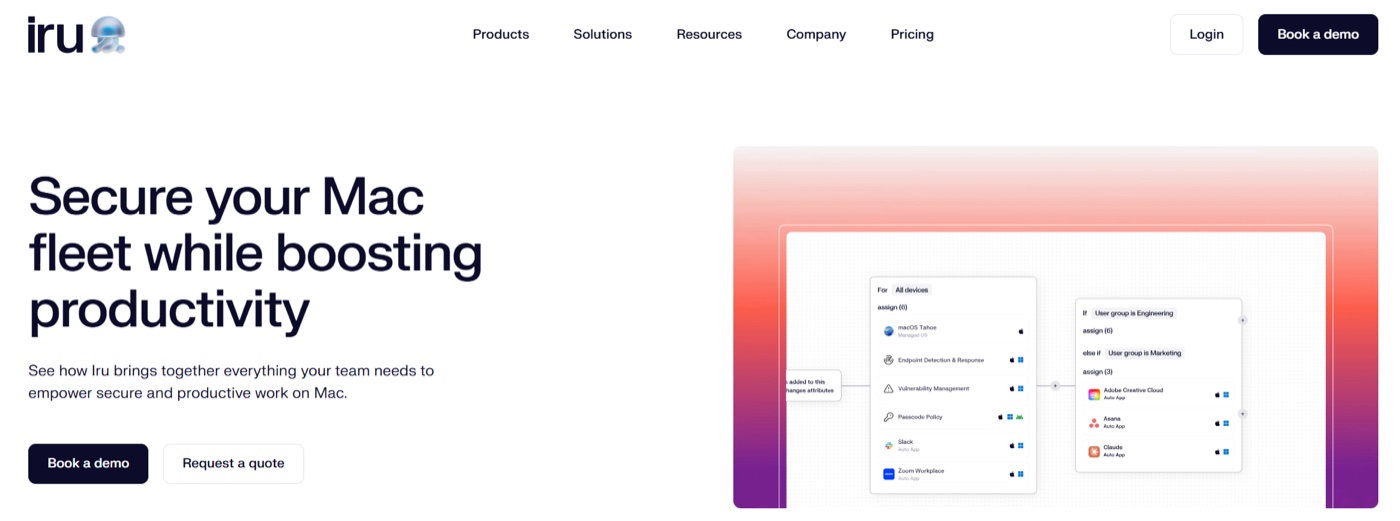
Kandji Device Management is now Iru Endpoint Management. It's still Apple-first, with Windows and Android support added. Iru provisions Macs for new employees remotely, without IT touching the device, and automates initial configuration, software updates, and FileVault key rotation. Liftoff then walks the new hire through device setup with a branded onboarding experience.
Microsoft Intune
Intune is a cloud-based endpoint management service that covers Windows, macOS, iOS/iPadOS, Android, and Linux, with no on-premises infrastructure. Devices enroll through the Company Portal or automatically through Windows Autopilot, Apple Automated Device Enrollment, or Android Enterprise.
Where MDM platforms stop
Iru users report that automated device enrollment with SSO during Setup Assistant has repeatedly gotten stuck. Integrations are thin as well, so teams write their own API syncs to their asset database or ITSM. Also, a 25-device minimum for macOS management makes the platform harder to justify for small Mac fleets.
Microsoft Intune reviewers say the Enterprise App Catalog doesn't cover enough of the apps companies actually run, so they still package a large share by hand, with limited control over auto-updates. Jamf users mainly want a better scoping interface. Smart group criteria can only be added to the end of a list, so inserting one higher up means deleting and recreating the criteria.
ITSM Platforms
IT service management (ITSM) software is where your IT work gets requested, routed, approved, and tracked. In onboarding, it turns a new hire into a set of tickets and approvals that move between IT, HR, and other teams.
ServiceNow
ServiceNow ITSM runs on the ServiceNow AI Platform, which keeps tools, systems, and data on one platform with a single data model. IT staff fulfill and manage service requests from one workspace, while AI agents route incidents and suggest resolutions. Employees submit and resolve requests through one mobile-friendly self-service portal with AI search.
Jira Service Management
Jira Service Management is Atlassian's service desk, built to connect Dev and Ops teams on one platform. AI agents triage incoming requests, suggest resolution steps, and answer employee questions from your existing knowledge base. For processes JSM doesn't handle natively, the Atlassian Marketplace offers 1,000+ apps and integrations.
Freshservice
Freshservice is an AI-powered ServiceOps platform built on ITIL best practices. It has a dedicated onboarding workflow, which coordinates access, assets, and approvals across IT, HR, Finance, and other teams. Continuous discovery runs in the background and keeps asset and dependency records accurate. Conversational requests match to the right service and are resolved end to end.
Where ITSM platforms stop
ServiceNow users describe a steep learning curve. They say customizing workflows and configuring modules takes time, and that performance can slow with very large datasets or heavy integrations.
Jira Service Management users find backend settings fragmented and loosely defined, including ticket workflows, user management, and fields, so setting up a process takes longer than expected.
On the product itself, Freshservice reviewers say search could be better and that Freddy AI's recommendations aren't always useful, though many say they're satisfied overall with how the platform has developed.
Device lifecycle platforms
A device lifecycle platform handles the physical laptop. It sources the device, configures it, stores it, ships it to the employee, and collects it when they leave. It's the only layer in this list with real lead time, so it's also the layer that decides whether the other four have anything to run on by the start date.
Firstbase
Firstbase starts the device order from the HR record. When HR adds a new hire to the HRIS, Firstbase triggers the configured equipment workflow. IT can set up pre-approved packages by role or department, allowing orders to be placed automatically without requiring employee input. Firstbase integrates with Workday, BambooHR, and other HRIS platforms, and its API supports SCIM for identity-driven workflows.
The barrier to entry in new regions as we continue to grow and scale is much lower with Firstbase by our side than if it were us having to go alone.
- Thomas Olson, Manager, IT Program Management, New Relic
What Firstbase doesn't handle
Firstbase works alongside your identity provider and MDM. It doesn't replace either one. Accounts still come from your IdP, and device policies still come from your MDM.
Reviewers point to longer-than-expected shipping times in certain regions, often due to courier delays outside Firstbase's control. They also say the product team is open to feedback and quick to act on useful suggestions.
What to ask before choosing IT onboarding software
A good evaluation of the right onboarding software should go beyond whether a platform can create an onboarding workflow. So you’ll have to look at how much of the physical device process it can actually take off IT’s plate.
What starts the device order? If the answer is a form or a ticket, IT will keep hearing about hires late.
How Firstbase handles it: In Firstbase, adding a new hire to the HRIS sends them an email with a catalog of pre-approved devices for their role, so the order is placed before IT touches anything. The new hire gets real-time delivery tracking, and HR can check order status without messaging IT.
Will the laptop arrive enrolled? Ask whether the vendor can buy inside your device enrollment account and connect to your MDM.
How Firstbase handles it:Firstbase purchases on your behalf within that account and works with MDMs like Jamf to prepare each laptop before it ships. It arrives encrypted with SSO requirements enabled, and the employee signs in with no hands-on IT setup.
Where does the stock remain? Shipping everything from one hub means a customs crossing for every international hire.
How Firstbase handles it: Firstbase keeps inventory in local warehouses and restocks automatically when a product drops below the minimum you set. You can buy or lease through Firstbase, or send in equipment you already own.
Can you see every device in real time? You should know who has each laptop and where it is without opening a spreadsheet.
How Firstbase handles it: Firstbase tracks each device's holder, serial number and condition in one inventory view, and its MDM integration shows whether each device is encrypted and up to date. Customers report 1.8x more accurate asset tracking.
Does offboarding run off the same record? A status change in the HRIS should start the return automatically.
How Firstbase handles it: Firstbase sends the departing employee a return kit with the box and shipping label included. Then it wipes the device to NIST 800-88 standards and grades and repairs it for the next hire. Customers get more than 97% of their devices back, against an industry average of 30-50%.
Which Tool Fits, and When Have You Outgrown It?
Each layer in this guide does its own job well. The question is when the gaps between layers start costing you start dates. Use this matrix to check where your setup stands.
Layer | Right choice if | Not the right choice if | Add Firstbase if |
|---|---|---|---|
HRIS | You need one record for each hire, with start date, location, and signed paperwork | You expect it to source, ship, or track the laptop | IT still learns about new hires from an email or form instead of the HRIS record |
Identity | You want accounts and app access created from the HR record and suspended at exit | You need it to manage the physical device or prove device compliance | Accounts go live on the start date while the laptop is still in transit |
MDM | Devices are registered to your organization and need policies, apps, and updates from first login | Laptops are bought outside your enrollment account and registered by hand | New hires regularly start in countries where you've never shipped a laptop |
ITSM | Onboarding needs approvals and tasks routed between IT, HR, and Finance | You need the tool to do the physical work, not just track it | Onboarding tickets keep ending with someone in IT boxing and shipping a laptop |
What does good IT onboarding look like for distributed teams?
Every account, profile, and ticket in your onboarding stack can be ready within an hour of the HR record going live. The laptop is the only part that has to cross a border, so a good onboarding plan starts there.
That doesn't mean replacing what you have. Your HRIS, identity provider, MDM, and service desk each do their job well, and you should keep them. None of them gets a configured laptop to someone's door in another country. Firstbase fills that gap. The order starts from the HRIS record, and the laptop ships to new hires in 150+ countries, enrolled and connected to SSO before it's opened. When the employee leaves, it comes back through the same platform.
For IT, that means your team stops packing boxes and chasing tracking numbers, so headcount can grow without IT headcount growing alongside it. Cresta, a conversational AI company, grew from 160 to 300 employees in less than a year after moving its device logistics to Firstbase. Book a demo to see how many hours Firstbase can take off your team.
Written by
Ahmad Zakaria
Ahmad Zakaria covers IT operations, hardware lifecycle management, and distributed workforce solutions at Firstbase. His content is built from real customer data, operator interviews, and hands-on experience managing devices across 150+ countries.
Get started with
Firstbase today
Remote and hybrid work aren't going anywhere. It's our mission to make it easier to manage the assets your distributed team needs—from onboarding through offboarding and every repair, replacement, and upgrade in between.
Fill out the form and a member from our team will reach out by phone!
Get a Live Demo