The Best Free MDM Solutions in 2026 (and the Gap They All Share)
Free MDM covers enrollment and policies — but none of them ship, retrieve, or redeploy hardware. Here's what fills the gap.
 Ahmad ZakariaJuly 6, 2026
Table of contents
"We have seen that in most MDM comparisons, the free versions come with very basic functionalities only."
Wrote one Reddit user in a discussion about free Mobile Device Management solutions. Most lean IT teams run into the same pattern: for a. The software layer (enrollment, policies, remote wipe, app distribution) is covered well enough by a handful of free tiers.
But they all hit a ceiling, sometimes at 25 devices, sometimes at feature depth. And every single one stops at the same point. They assume the device is already in the employee's hands, and that someone else will deal with getting it there and getting it back.
This guide breaks down the best free MDM solutions in 2026 for IT managers at distributed companies, typically 500+ employees, hiring across multiple countries, running a lean one or two-person IT team. We'll also see where each one's free tier runs out, and how platforms like Firstbase fill the operational gap MDM was never designed to cover.
TL;DR: Free MDM Solutions at a Glance
| Platform | Free Tier Cap | OS Support | Hardware Ops? | Paid to Unlock | Rating | Best For |
|---|---|---|---|---|---|---|
| Jamf Now | 3 devices | Apple only | No | Endpoint protection, content filtering, ZTNA ($12.50/device/mo) | 4.7 | Small Apple-only teams (<25 employees) |
| ManageEngine Endpoint Central | 25 desktops + 25 mobile | Windows, Mac, Linux, iOS, Android, Chrome | No | Vulnerability detection, app control, USB management, BitLocker (add-on on all editions) | 4.5 | Mixed-OS fleets needing asset tracking |
| Mosyle Business FREE | 30 devices | Apple only | No | Hardening/compliance, AI antivirus, Zero Trust, privilege management ($1.50/device/mo Fuse) | 4.6 | Apple fleets needing full MDM without paying |
| Apple Business | No stated cap | Apple only | No | Custom config profiles, granular OS update controls (requires third-party MDM) | 4.6 | Small teams with no IT staff |
| Miradore | 50 devices | Windows, Android, iOS, macOS | No | App management, automation, content distribution ($2.75/device/mo Premium) | 4.6 | Mixed-OS fleets needing the highest free cap |
| Firstbase | Not an MDM; Pairs with any MDM to cover the physical lifecycle | Any (OS-agnostic) | Yes | Flat per-seat pricing; all-inclusive (shipping, storage, retrieval, redeployment) | 4.8 | Distributed companies managing devices across 3+ countries with a lean IT team that needs hardware ops automated alongside their MDM |
Companies with 1,500 employees save an average of $163K and 2,300 hours annually. Take a self-guided product tour to see how Firstbase works alongside your MDM.
PRODUCT TOUR
See How Firstbase Works
Take a self-guided tour to see how Firstbase handles device procurement, shipping, retrieval, and redeployment alongside your MDM.
Take the TourBest Free MDM Solutions Compared (2026)
We've broken down the top free MDM tools by what the free tier actually includes and where it cuts you off, so you can pick the right starting point for your team size and OS mix.
Jamf Now
Best for: Small Apple-only teams (<25 employees)
Jamf builds MDM software exclusively for Apple. Instead of stretching across every operating system, it works directly with Apple's native architecture, which means tighter configurations, deeper customization, and same-day support for every Apple OS release.
Jamf Now is the entry-level product, built for organizations with fewer than 25 employees. It supports macOS, iOS, iPadOS, and tvOS from a single web console.
What the Free Tier Covers
- Device limit: You can manage up to 3 Apple devices at no cost, with billing kicking in from the 4th device onward.
- Enrollment and security: Streamlined workflows let you enroll devices, apply security policies, and distribute apps from a single dashboard.
- Zero-touch deployment: When paired with Apple Business Manager, devices ship directly to users and auto-configure with their cloud identity credentials.
- macOS protection: Built-in malware protection covers your Mac fleet without needing a separate endpoint security tool.
Limitation
The 4th device triggers billing at a flat $4/device/month Jamf doesn't handle procurement, global shipping, and getting the right device to a new hire on day one. Jamf doesn't touch that redeployment process where devices need to be inspected, graded, and wiped to certified standards (like NIST 800-88). There's no inventory visibility into where returned devices sit, whether they're repair-ready, or how many are available for the next onboarding cycle.
ManageEngine Endpoint Central
Best for: Mixed-OS fleets needing asset tracking
ManageEngine Endpoint Central is a unified endpoint management platform that covers Windows, macOS, Linux, iOS, Android, and even Chromebooks from a single console. It's one of the broader tools on this list in terms of OS support.
The free edition allows you to manage up to 25 desktops and 25 mobile devices permanently, with no time limit attached. This tier includes a surprisingly wide feature set compared to most competitors.
What the Free Tier Covers
- Multi-OS enrollment: Self-enrollment, zero-touch enrollment (via Knox, ABM, AutoPilot), Apple Configurator, EMM/NFC, and Chromebook enrollment.
- OS imaging and deployment: You can image and deploy operating systems on Windows machines, a feature that several paid competitors charge extra for.
- Remote troubleshooting: HIPAA and PCI compliant remote control, file transfers during remote sessions, remote lock, and remote wipe for both mobile and laptops.
- IT asset management: Real-time asset tracking, hardware and software inventory management, and the ability to identify jailbroken or rooted devices.
Limitation
The 25-endpoint cap is firm. Once your fleet grows past that number, you're looking at the Professional edition starting at $795/year for 50 endpoints, and that edition doesn't include MDM for Windows laptops or macOS. You'll need the UEM edition at $1,095/year to manage laptops through MDM. Security features like vulnerability detection, application control, endpoint privilege management, USB device control, BitLocker management, and ransomware protection are all paid add-ons, even on the commercial editions. Endpoint Central can tell you which devices you own and where they're enrolled, but it can't ship a configured laptop to a new hire in another country. It doesn't coordinate retrieval when someone leaves, and it has no process for grading, wiping, and redeploying returned hardware.
Mosyle
Best for: Apple fleets needing full MDM without paying
Mosyle is an Apple-only platform that offers two free products: Mosyle Business FREE for companies and Mosyle Manager Free for educational institutions. Where Jamf caps the free tier at three devices, Mosyle Business FREE gives you the same feature set as its premium product for up to 30 devices.
It supports macOS, iOS, and tvOS, and positions itself as an \"Apple Unified Platform\" that bundles deployment, management, and security together rather than selling them as separate modules.
What the Free Tier Covers
- Full MDM protocol: Complete MDM coverage for macOS, iOS/iPadOS, and tvOS, with support for shared devices and User Enrollment built in.
- Zero-touch deployment: Fully automated setup with Apple Business Manager integration, so devices configure themselves the moment an employee logs in.
- App management: Install, update, and patch both App Store and non-App Store apps (PKG and DMG files), with automated patching workflows and the Mosyle App Catalog for macOS.
- Automated ongoing management: Continuous device management runs without manual intervention once policies are set.
Limitation
Mosyle Business FREE caps at 30 devices. Beyond that, paid plans start at $1/device/month for Business Premium and $1.50/device/month for Fuse. The platform is Apple-exclusive. If your fleet includes any Windows, Android, Linux, or Chromebook devices, you'll need a separate tool to manage them. Endpoint security features like compliance scanning, Zero Trust enforcement, and privilege management with Admin On-Demand are reserved for the paid Fuse tier. Mosyle handles everything from enrollment through policy enforcement and app patching, but the physical side of the device lifecycle is outside its scope.
Apple Business (Formerly Apple Business Manager)
Best for: Small teams with no IT staff
Apple Business is Apple's own all-in-one platform for device management, launched in April 2026 as a free service across 200+ countries. It replaces three previously separate products (Apple Business Manager, Apple Business Essentials, and Apple Business Connect) under a single interface.
The MDM component that used to cost $2.99/device/month through Business Essentials is now free for every organization. For small teams without dedicated IT staff, it's designed to make device management accessible from day one.
What the Free Tier Covers
- Built-in MDM with Blueprints: Preconfigured templates let you bundle device settings, security policies, and apps into reusable groups, then assign them by team or function for consistent setup across your fleet.
- Zero-touch deployment: New Apple devices ship directly to employees and auto-configure on first boot, with no IT hands-on required.
- Managed Apple Accounts: Cryptographic separation keeps company data secure while employee personal data stays private on the same device.
- App distribution and employee management: Acquire and push App Store apps to specific teams, create user groups by function, and set custom roles to control access levels.
Limitation
Apple Business manages Apple devices only. Any Windows, Android, Linux, or Chromebook endpoints in your fleet need a separate MDM tool entirely. There's no custom configuration profile support. Third-party MDMs let you build profiles using any payload in Apple's MDM specification (VPN, certificates, 802.1X Wi-Fi authentication), but Apple Business only offers what its own UI exposes. OS update controls are limited compared to third-party MDMs, with fewer options for staging rollouts or enforcing version compliance across a large fleet.
Miradore
Best for: Mixed-OS fleets needing the highest free cap
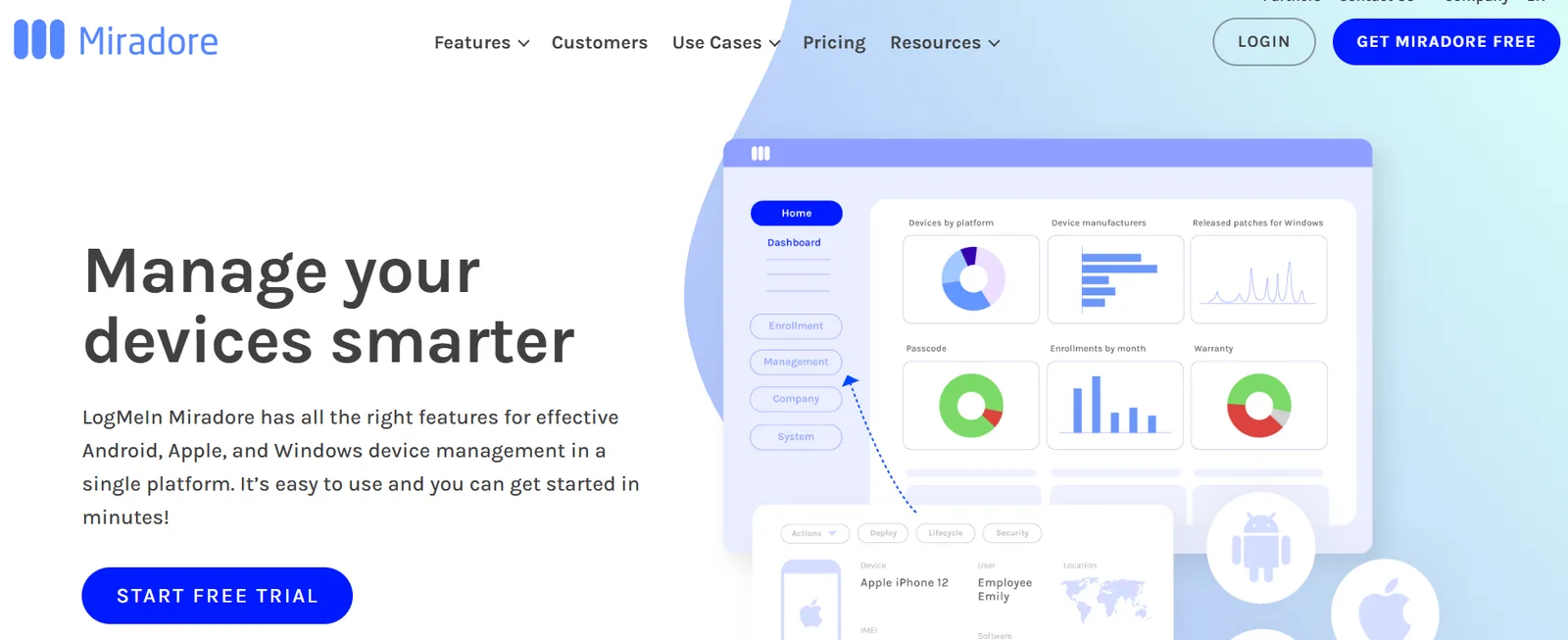
Miradore is a cloud-based MDM from LogMeIn that covers all four major operating systems (Windows, Android, iOS, and macOS) from a single platform. That cross-platform support is worth noting here; unlike Jamf and Mosyle, which are Apple-only, or Apple Business, which obviously manages just Apple hardware, Miradore lets you manage a mixed fleet from one console.
The free plan supports up to 50 devices across multiple operating systems, which makes it one of the highest device caps among free MDM tools on this list.
What the Free Tier Covers
- Core security actions: Enforce and set passwords, lock and wipe devices remotely, clear and reset passcodes, and detect missing security patches on Windows machines.
- Visibility and reporting: You can view devices by platform, check which ones are missing a passcode or storage encryption, and monitor security status from the notification center.
- Basic device configuration: Deploy Wi-Fi and email settings remotely to mobile devices and Windows workstations without touching each one individually.
- 14-day Premium+ trial: Every new account starts with a 14-day free trial of the Premium+ tier, which includes unlimited devices, full app management, automation via Business Policies, and remote support.
Limitation
Full device management capabilities sit behind the Premium paywall. That includes app management, content distribution, and the ability to install or remove applications remotely across your fleet. Automation features like Business Policies, which let you auto-enroll and auto-configure devices based on rules, are Premium-only. On the free tier, each device needs manual setup and configuration. When someone leaves, Miradore can remotely wipe the device. But it can't retrieve the hardware, schedule a courier pickup, and process the returned device through certified data destruction.
When Free MDM Stops Working
Free MDM covers the software layer, which works fine for IT managers until the teams grow. But once the team becomes distributed, hiring crosses a border, or the first offboarding results in a device that never comes back.
The following five triggers mark the point where free MDM stops being sufficient and hardware operations become the real problem.
- The device cap hits mid-sprint: Jamf caps at 3 devices, ManageEngine at 25, Mosyle at 30, Miradore at 50. One quarter of aggressive hiring can blow past these limits. Paid tiers kick in at $1-4/device/month, and at 200+ devices, that's $2,400-$9,600/year just for the MDM layer.
- Departing employees keep the hardware: The average cost per hire is $4,700-$4,800. A good chunk of that goes into equipping the new person with hardware. When the previous employee's device never comes back, you're buying a replacement on top of what you already spent.
- International hiring breaks the workflow: Gartner projects that by 2028, over 70% of enterprises will rely on managed device lifecycle services, up from fewer than 35% in 2025. The reason is that shipping a preconfigured laptop across a border means customs clearance, landed cost calculations, and local compliance.
- Returned devices lose value on the shelf: Enterprise PC prices are climbing 15-20% through 2026 due to memory and component shortages. Every device sitting unwiped in a storage closet is worth less each quarter. Without a structured process to grade, wipe, and redeploy returned hardware, IT ends up buying new when perfectly usable inventory is gathering dust.
- Compliance audits want physical proof: SOC 2, HIPAA, and GDPR require documentation of who had the device, when it was returned, and how the data was destroyed to certified standards. MDM logs cover the software side. The physical chain-of-custody trail is a separate gap, and it's the one auditors tend to flag.
These five triggers all point to the same problem. MDM manages software on the device. The hardware operations around it (procurement, global shipping, retrieval, redeployment, certified destruction) fall into a gap that no MDM tool was built to close.
How Firstbase Works Alongside Your MDM
Firstbase isn't an MDM. It doesn't compete with Jamf, Mosyle, ManageEngine, or any of the tools above. It picks up where they stop.
The platform has one structural advantage none of the other platforms here can claim: Apple Authorized Reseller status, one of roughly 200 in the US.
So, Firstbase enrolls devices directly into your Apple Business Manager account for zero-touch deployment without a middleman provisioning step between purchase and first boot.
The device arrives at your employee's door already enrolled, configured, and ready, no matter whether you're running Jamf, Mosyle, or Apple Business as your MDM layer.
Your MDM handles device enrollment, policy enforcement, app distribution, and remote wipe. Firstbase handles the hardware operations side. The two work together, and here's what that looks like in practice:
- Pre-configured MDM enrollment before shipping: Firstbase can pre-image devices and enroll them into your MDM before they leave the warehouse. The employee opens the box, logs in, and everything is already configured.
- Automated retrieval when someone leaves: Offboarding triggers in your HR system (Workday, BambooHR, ADP, or any of 15+ supported integrations) automatically kick off Firstbase's retrieval workflow. Prepaid return kit, courier pickup, automated follow-ups. Your MDM handles the remote lock; Firstbase gets the hardware back.
- Certified wiping and redeployment: Returned devices are graded, wiped to certified standards, and returned to deployable inventory rather than sitting on a shelf.
- Global logistics in 150+ countries: Procurement, customs, VAT, and local compliance are handled by Firstbase. You don't need to have separate freight accounts or scramble for a local vendor.
With Firstbase, we can onboard with quicker notice and in a very seamless fashion, globally. We're able to click a few buttons and ensure our machines are returned, inventoried, and reused with ease. We have saved days of time each month for our IT team. The impact for international shipping and device management alone has been a lifesaver.
AW, Allie WinkelmanDirector of Learning & Development, Thrive Global
The pricing is flat, per-seat, and predictable. Shipping, storage, provisioning, and returns are all included in that rate. You can purchase equipment through Firstbase, lease it, or send your own existing fleet.
For growing teams that have the software layer covered, Firstbase fills the operational gap at a cost that scales with headcount.
FAQs
Will adding Firstbase require us to re-enroll devices or migrate our MDM?
No. Firstbase works with your current MDM, so you can keep using Jamf, Kandji, Intune, Mosyle, JumpCloud, or another tool you already trust. Your MDM keeps handling enrollment, policies, apps, and remote wipe. Firstbase handles the physical lifecycle around it: procurement, storage, shipping, retrieval, certified wiping, and redeployment.
For new devices, Firstbase can support zero-touch setup before shipping. For existing fleets, re-enrollment is only needed if you decide to change how those devices are managed.
What if we don't have a dedicated IT person? Can we still use Firstbase?
Yes. Firstbase is built for lean teams that do not want device logistics dumped on IT, People Ops, or a founder.
Your team can trigger device workflows without managing couriers, customs, storage, return labels, repairs, or inventory spreadsheets. Firstbase handles the operational work, while your MDM handles the software layer.
How to Pick the Right Free MDM for Your Situation
| If your situation is... | Start with... | Why |
|---|---|---|
| Apple-only fleet, under 3 devices | Jamf Now | Deepest Apple-native integration; free for 3 devices |
| Apple-only fleet, up to 30 devices | Mosyle Business FREE | Full MDM feature set at no cost; highest free cap for Apple |
| Apple-only, no IT staff | Apple Business | Built-in MDM with Blueprints; completely free, no device cap |
| Mixed OS fleet, under 25 endpoints | ManageEngine Endpoint Central | Broadest OS support (Windows, Mac, Linux, iOS, Android, Chrome); includes OS imaging |
| Mixed OS fleet, up to 50 devices | Miradore | Highest device cap among free tiers; covers Windows, Android, iOS, macOS |
| Any MDM + growing/distributed team | Add Firstbase | Handles the physical layer your MDM doesn't cover |
What Happens to the Device After the Free MDM Does Its Job?
Free MDM tools solve the software layer of device management, and for small teams, that's a reasonable starting point. But the moment your fleet outgrows the free tier or your team goes distributed, the gap between managing a device and physically moving it becomes a bigger problem.
Firstbase fixes that gap. It works alongside whatever MDM you choose and handles the physical lifecycle: procurement, shipping, retrieval, wiping, and redeployment, all under one flat per-seat rate.
Companies running Firstbase report a 97% equipment retrieval rate and a full retrieval turnaround in under 30 days, from offboarding trigger to wiped device back in inventory. Book a demo to see how it works with your MDM.
Written by
Ahmad Zakaria
Ahmad Zakaria covers IT operations, hardware lifecycle management, and distributed workforce solutions at Firstbase. His content is built from real customer data, operator interviews, and hands-on experience managing devices across 150+ countries.
Get started with
Firstbase today
Remote and hybrid work aren't going anywhere. It's our mission to make it easier to manage the assets your distributed team needs—from onboarding through offboarding and every repair, replacement, and upgrade in between.
Fill out the form and a member from our team will reach out by phone!
Get a Live Demo